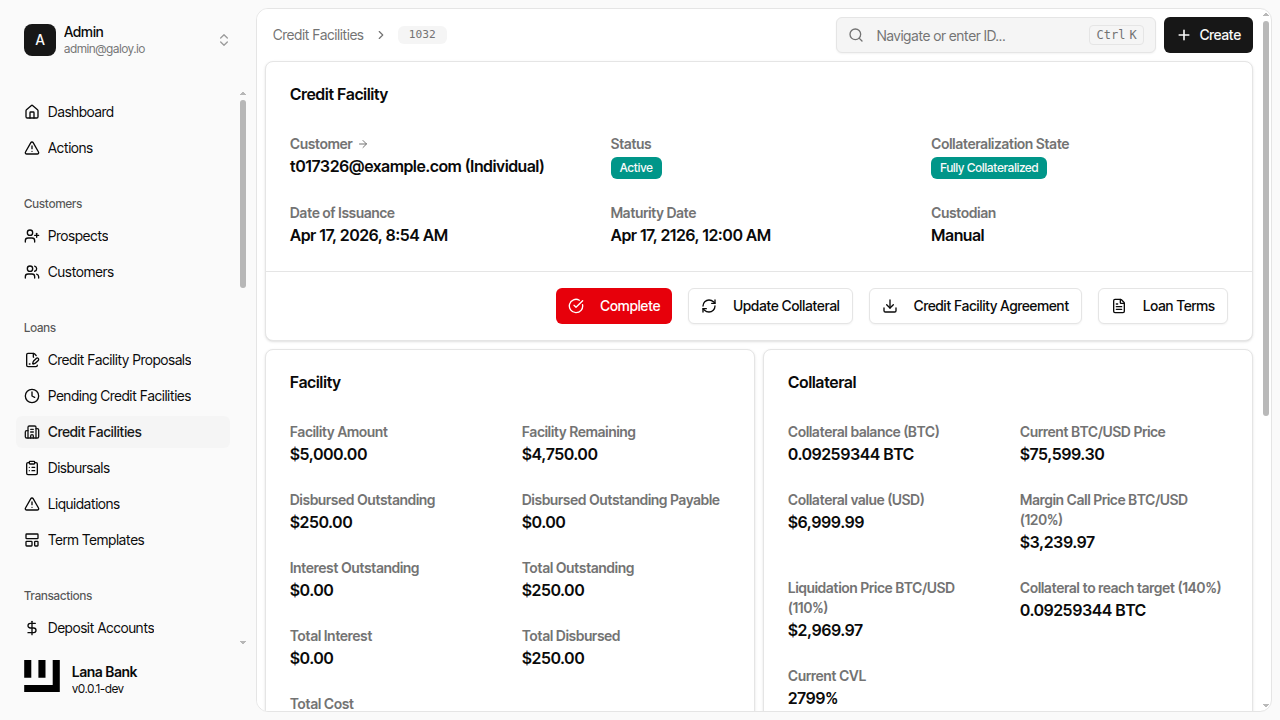
Credit Facility
A CreditFacility is a legally binding lending agreement between a bank and a customer that establishes a maximum credit limit the bank is willing to extend.
It specifies:
- Credit Limit - The maximum amount of credit available to the customer.
- Loan Terms - Details such as interest rates, fees, and risk parameters.
- Maturity Provisions - Details when the credit facility will mature or expire.
- Repayment Schedule - The timeline and conditions under which the customer must repay the borrowed amount and any accrued interest.
In our domain model, a CreditFacility is the central entity that manages the lifecycle of credit, including disbursals, obligations, and payments.
We have InterestAccrualCycle to manage the interest accrual process, which is crucial for calculating the interest on the disbursed amounts.
Facility Approval & Activation
A CreditFacility goes through an approval process where it is created by a bank manager and then submitted to governance module. The governance module defines the rules for approval, which can be manual (requiring a certain number of approvals from bank users) or automatic (system auto-approved).
Activation of a CreditFacility can happen only after Collateral for the Facility has been posted and the CreditFacility is approved by the governance process.
Collateral's CVL should be more than initial CVL as defined in the CreditFacility terms for the facility to activate.
Upon activation of the facility, InterestAccrualCycle is initialized to start accruing interest on disbursed amounts.
Operational States and Controls
In day-to-day operations, facility setup is controlled by two independent gates:
- Governance gate - the proposal must satisfy the approval policy.
- Collateral gate - posted collateral must satisfy the configured
initial_cvl.
Both gates must be satisfied before the facility becomes usable for disbursals. This prevents funds from being released before governance authorization and risk coverage are in place.
State progression you should expect
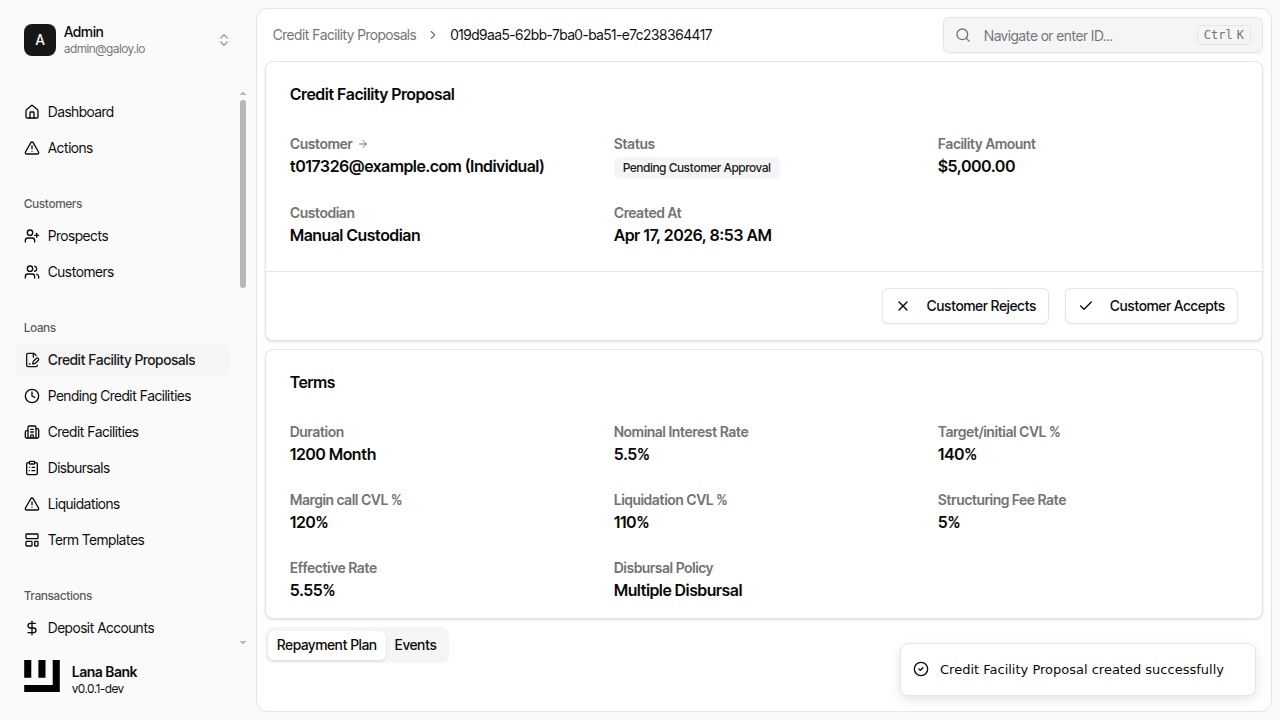
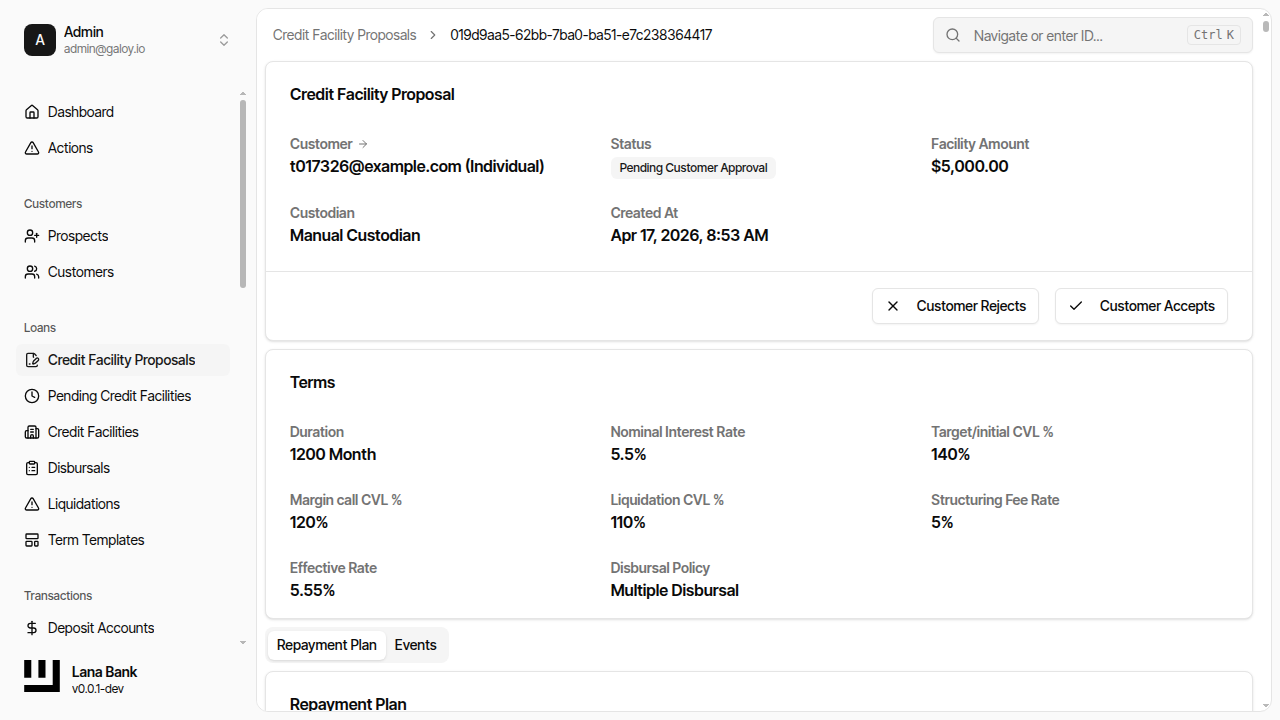
- Pending Customer Approval: proposal created, customer has not accepted yet.
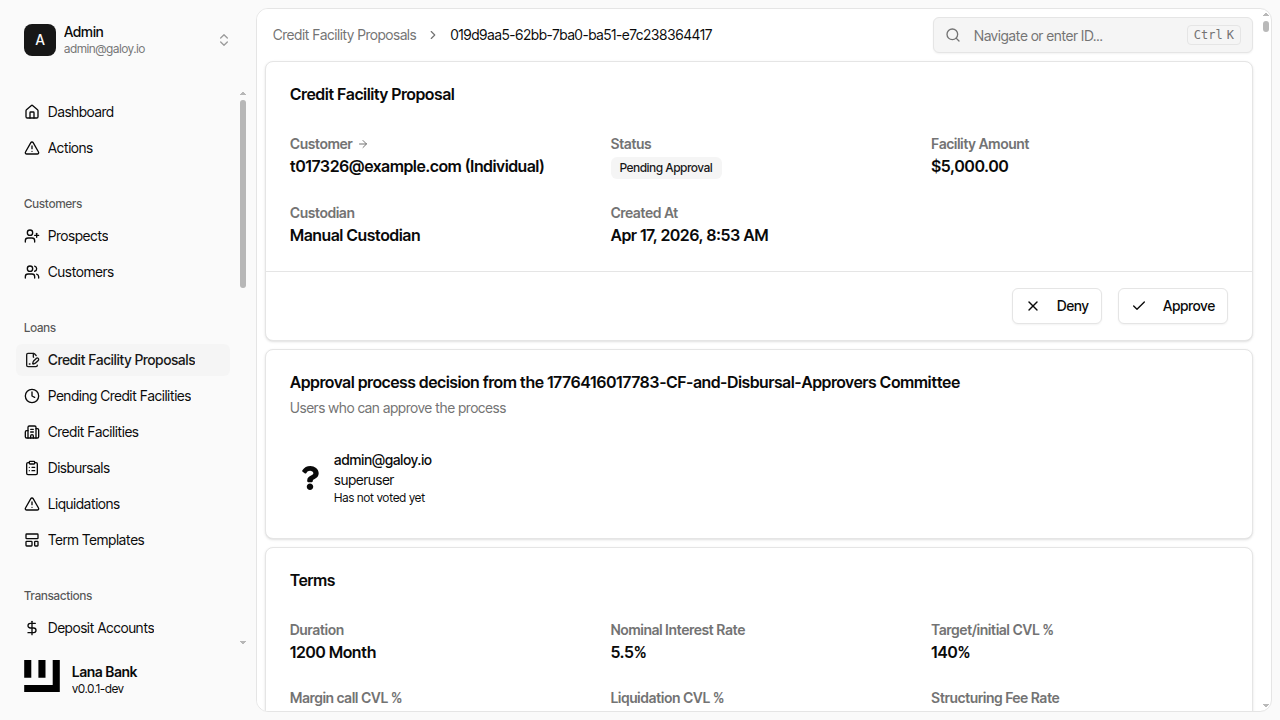
- Pending Approval: customer accepted; proposal now waits for governance decisions.
- Approved: governance threshold met; pending facility is created.
- Pending Collateralization: facility exists but cannot disburse yet.
- Completed (pending facility): collateral gate satisfied.
- Active (credit facility): facility can issue disbursals; interest cycle runs.
Operator checks before moving forward
- Confirm the selected terms template is the expected product configuration.
- Confirm proposal amount and currency context match the customer request.
- Confirm approval policy (manual vs auto) for the selected governance setup.
- Confirm collateral entry reflects current custody value and unit scale.
- Confirm final status transition happened before initiating any disbursal.
Collateral Management
Bitcoin collateral is the primary risk mitigation mechanism for credit facilities. Because BTC is volatile relative to USD, the system continuously monitors collateral adequacy throughout the facility lifecycle.
Collateral Posting
After a proposal is approved, the resulting pending facility enters the Pending Collateralization state. At this point, the customer must deposit Bitcoin into the facility's associated custody wallet. If the facility has an assigned custodian, Lana synchronizes the collateral balance from that custody backend, either through hosted-custodian webhooks or self-custody esplora polling. The self-custody polling flow selects its esplora backend from startup config, with separate URLs for mainnet, testnet3, testnet4, and signet. In manual mode, an operator can update the collateral amount directly through the admin panel.
CVL Monitoring During Facility Lifetime
Once a facility is active, the system recalculates the CVL whenever:
- The BTC/USD exchange rate changes (via price feed updates)
- Collateral is deposited or withdrawn
- The outstanding loan balance changes (through disbursals or payments)
The three CVL thresholds work together to create a graduated risk response:
- Above Initial CVL: The facility is in good standing. Disbursals are permitted.
- Between Margin Call CVL and Initial CVL: Normal operations continue, but new disbursals are blocked if they would push the CVL below the margin call threshold.
- Below Margin Call CVL: The facility enters a margin call state. The borrower is notified to post additional collateral. Existing obligations continue as normal.
- Below Liquidation CVL: The system initiates a liquidation process, allowing the bank to execute collateral to recover the outstanding debt.
A hysteresis buffer prevents rapid oscillation between states when the CVL hovers near a threshold boundary.
Liquidation Process
When the CVL falls below the liquidation threshold, a partial liquidation process is initiated. The system calculates the amount of collateral that must be sold to restore the CVL above the margin call threshold. This is a partial liquidation — only enough collateral is sold to bring the facility back into a safe range, not to close the entire position.
Facility Completion
A credit facility is automatically marked as complete when every obligation associated with it has been fully paid. This includes all principal obligations from disbursals and all interest obligations from accrual cycles. Once complete, the facility no longer accrues interest and its collateral can be released back to the customer.
If a facility reaches its maturity date with obligations still outstanding, any accrued but not-yet-posted interest is immediately consolidated into a final obligation. The facility cannot complete until these remaining obligations are satisfied.
Domain Rules That Matter in Operations
The terms selected at proposal time are copied into the facility and become the contract used by runtime checks. The most operationally important thresholds are:
initial_cvl: minimum CVL needed to activate a pending facility.margin_call_cvl: minimum CVL expected after a new disbursal is considered.liquidation_cvl: lower protection threshold that can trigger liquidation processing.
These checks are not only informational in the UI; they are part of command validation in the credit domain. In practice, this means a proposal can be approved yet still remain non-operational until collateral quality and amount satisfy policy.
Practical interpretation for operators
- Proposal approved != lendable. Lending starts only when facility status becomes
Active. - Collateral updates are risk actions. They directly influence activation and ongoing safety.
- Template quality is critical. Incorrect thresholds or intervals in terms produce incorrect lifecycle behavior later.
- Disbursals reduce collateral headroom. Every disbursal increases the loan exposure and therefore reduces the CVL, even if collateral amounts remain constant. Operators should verify the post-disbursal CVL before approving large drawdowns.
Admin Panel Walkthrough: Proposal to Active Facility
The following sequence mirrors how operators create, approve, and activate a facility in the admin panel.
1) Create the proposal
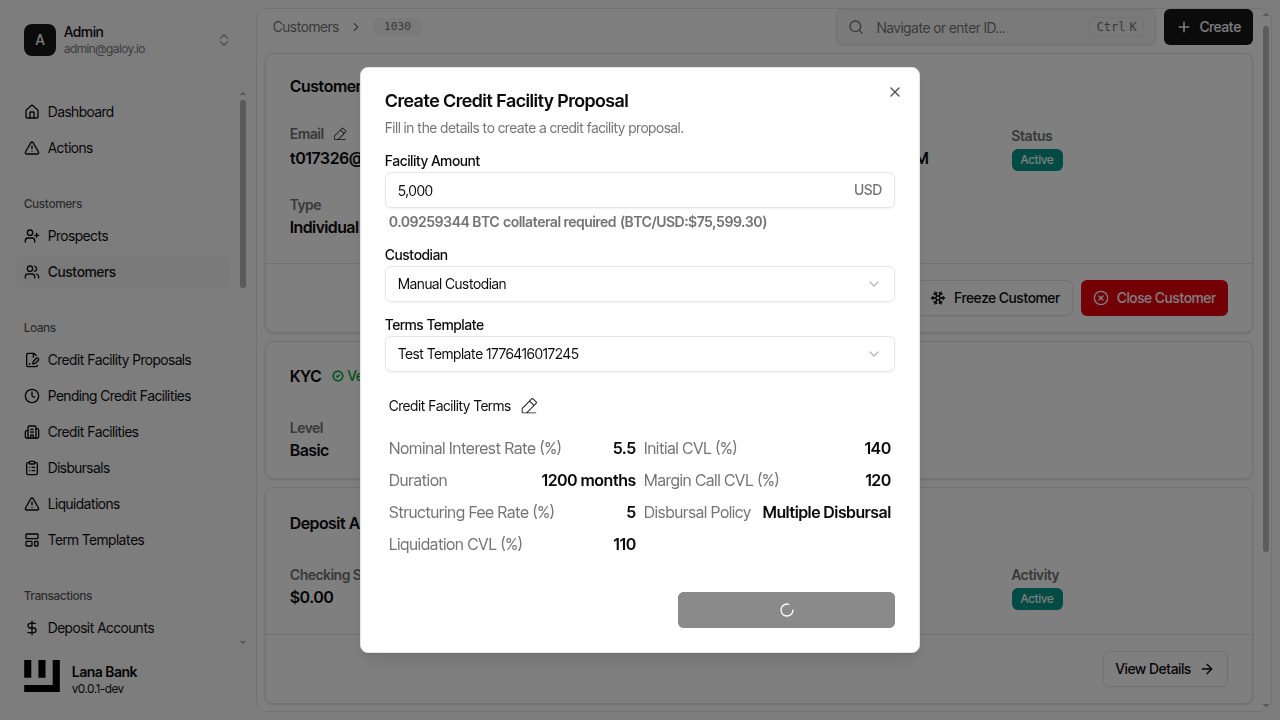
At this stage, you are establishing the legal and risk envelope. The terms template is especially important because its values are copied into the facility and drive downstream behavior (interest accrual cadence, due windows, liquidation thresholds, and fees).
Step 1. From the customer page, click Create.
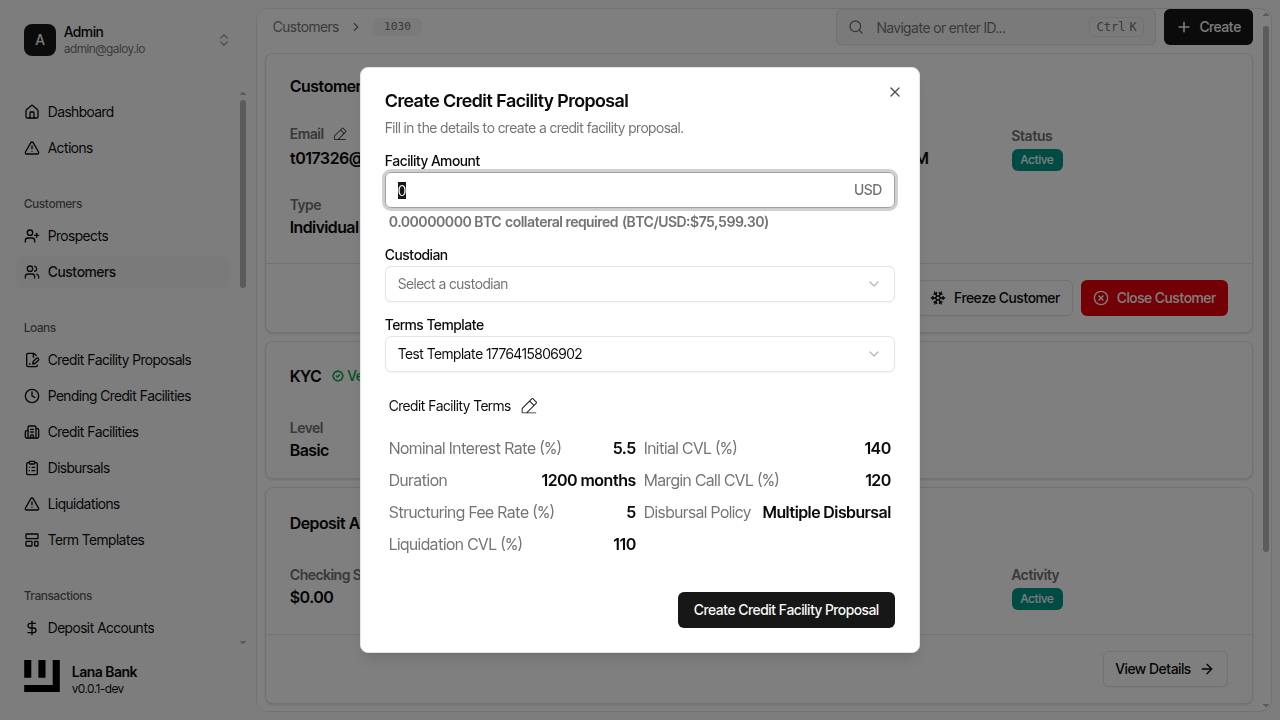
Step 2. Select Credit Facility to open the proposal form.
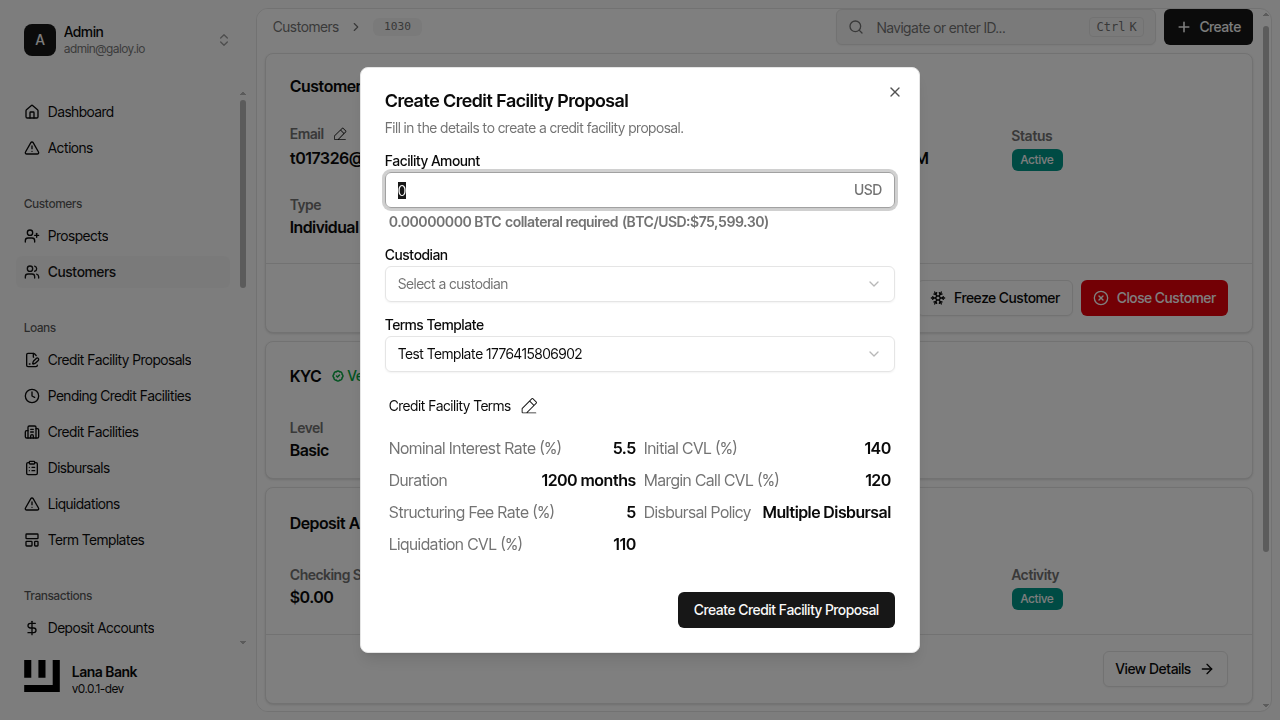
Step 3. Enter the facility amount and select the terms template.
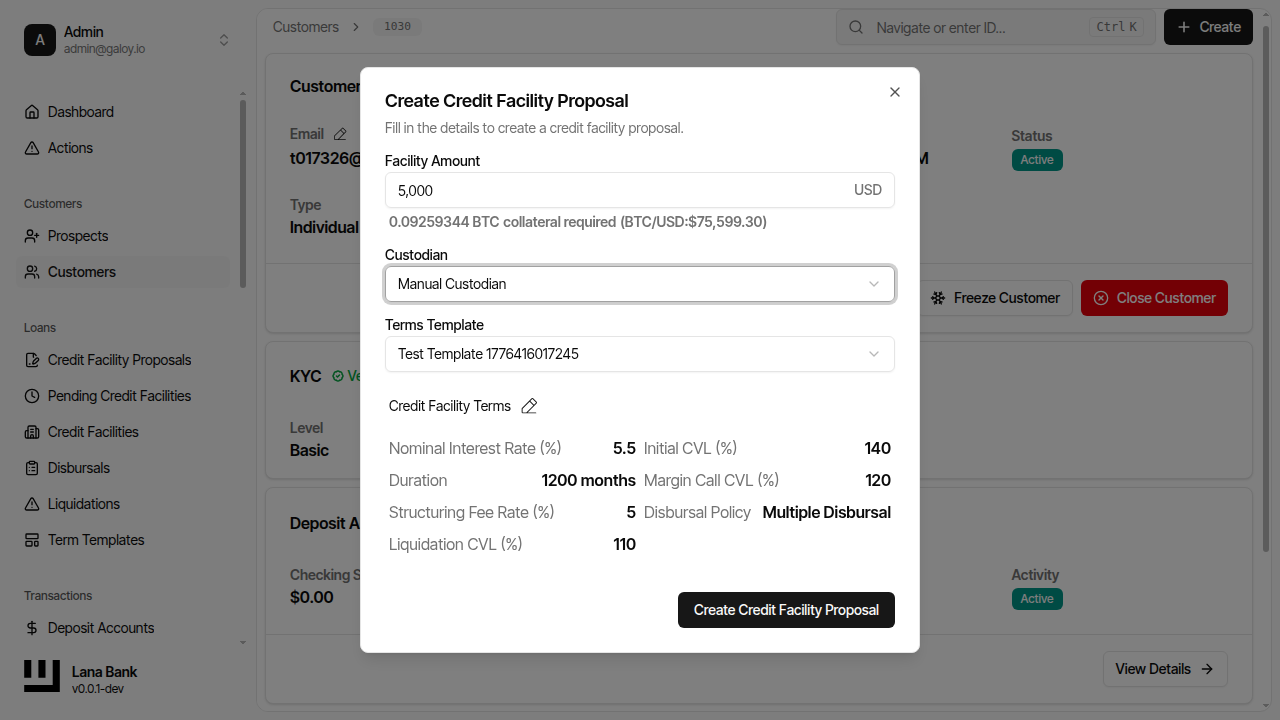
Step 4. Submit the proposal.
Step 5. Confirm the proposal detail page shows status Pending Customer Approval.
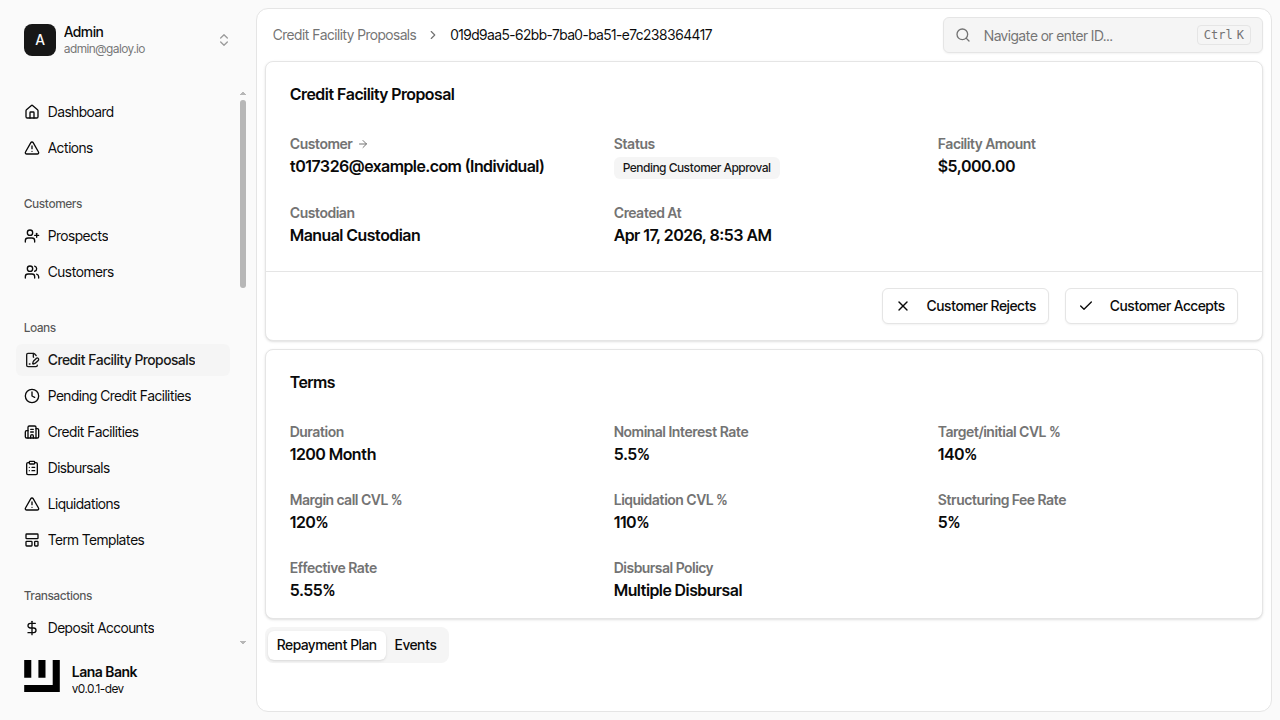
Step 6. Verify the proposal appears in the proposals list.
2) Customer acceptance and governance approval
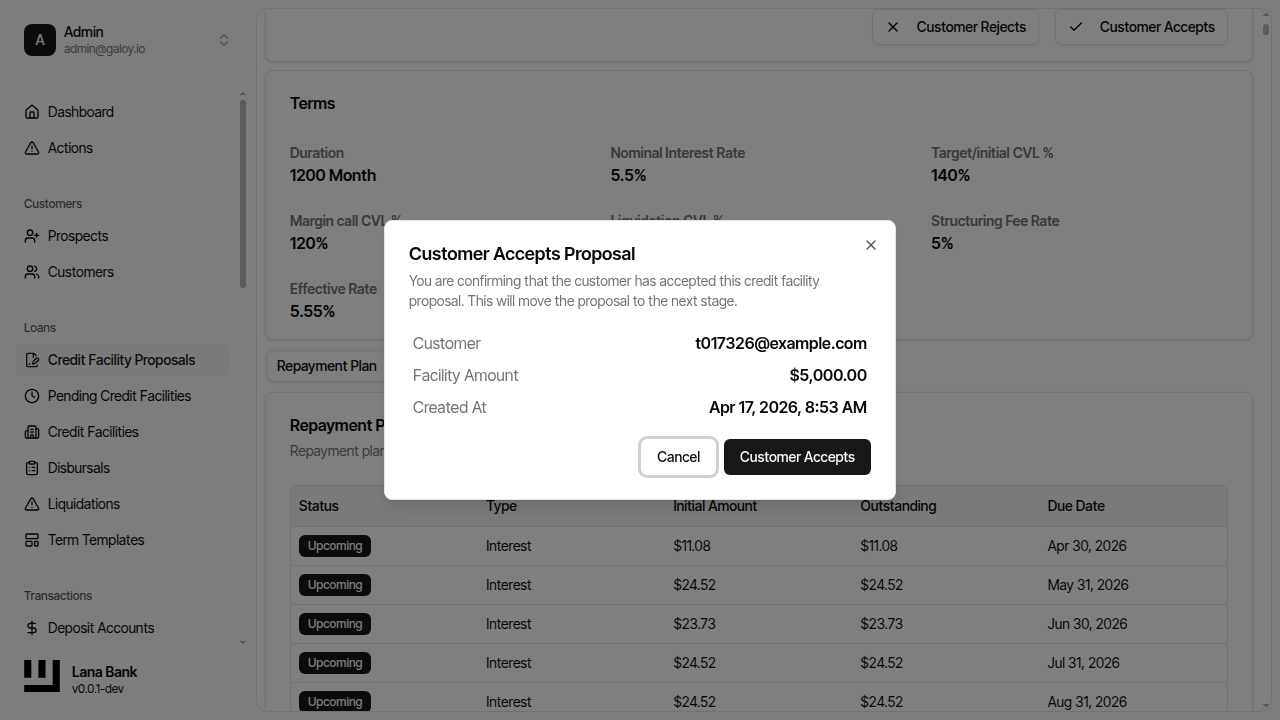
This stage separates customer consent from internal authorization. Even if a bank user creates the proposal, no facility should move ahead until the customer accepts and governance rules pass.
Operationally, a successful conclusion at this stage should produce a pending facility that can enter collateralization checks. If approval is rejected, the proposal does not proceed to a lendable path.
Step 7. Open the proposal detail page.
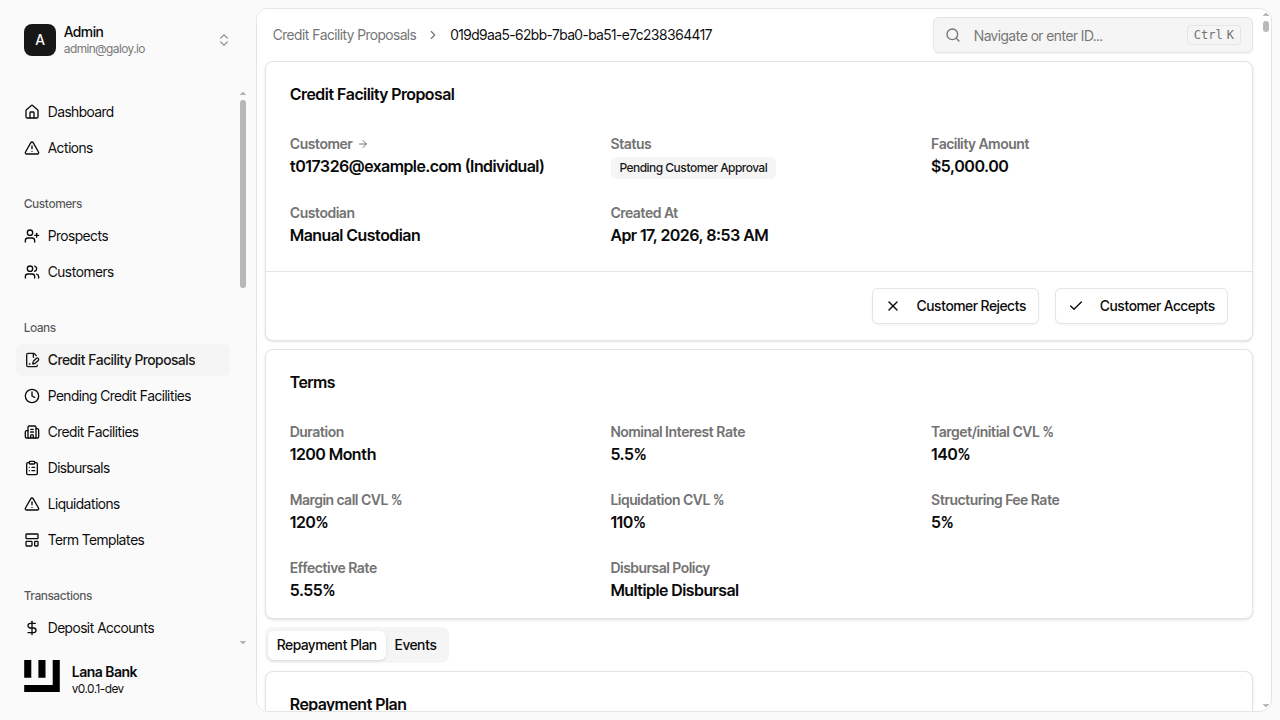
Step 8. Click Customer Accepts.
Step 9. Confirm the customer acceptance action.
Step 10. Verify status changes to Pending Approval.
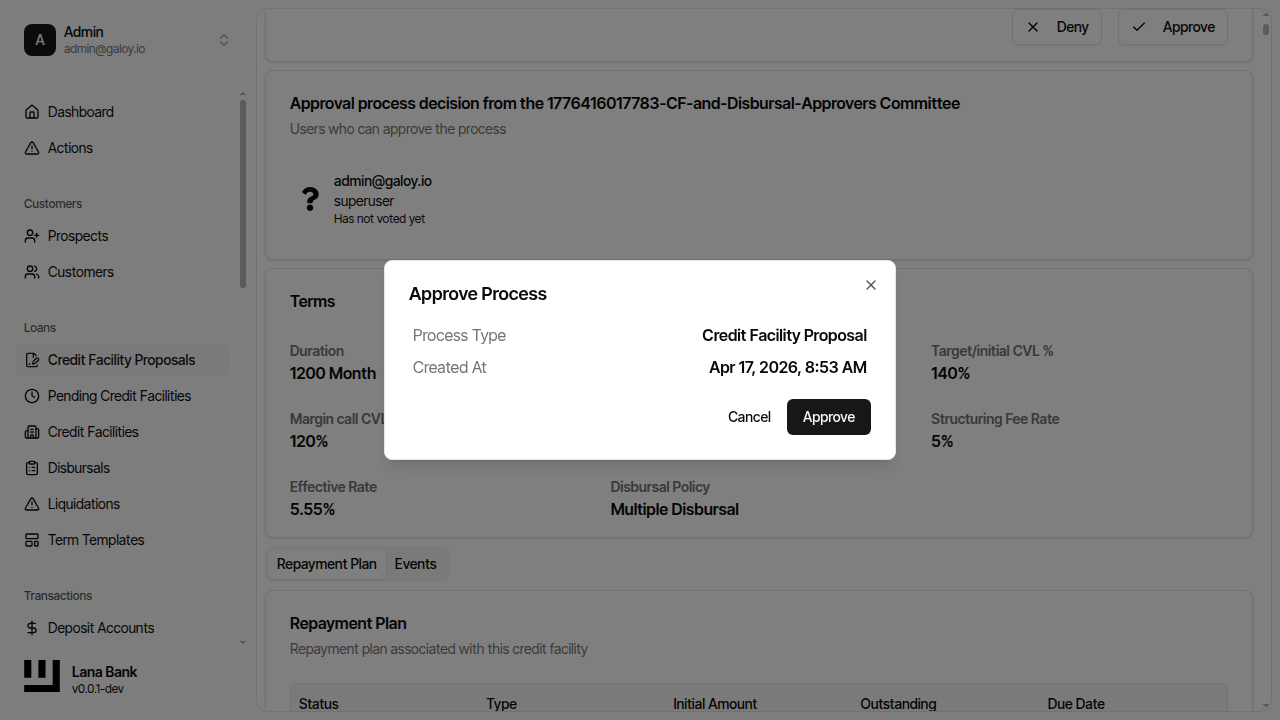
Step 11. Start governance approval by clicking Approve.
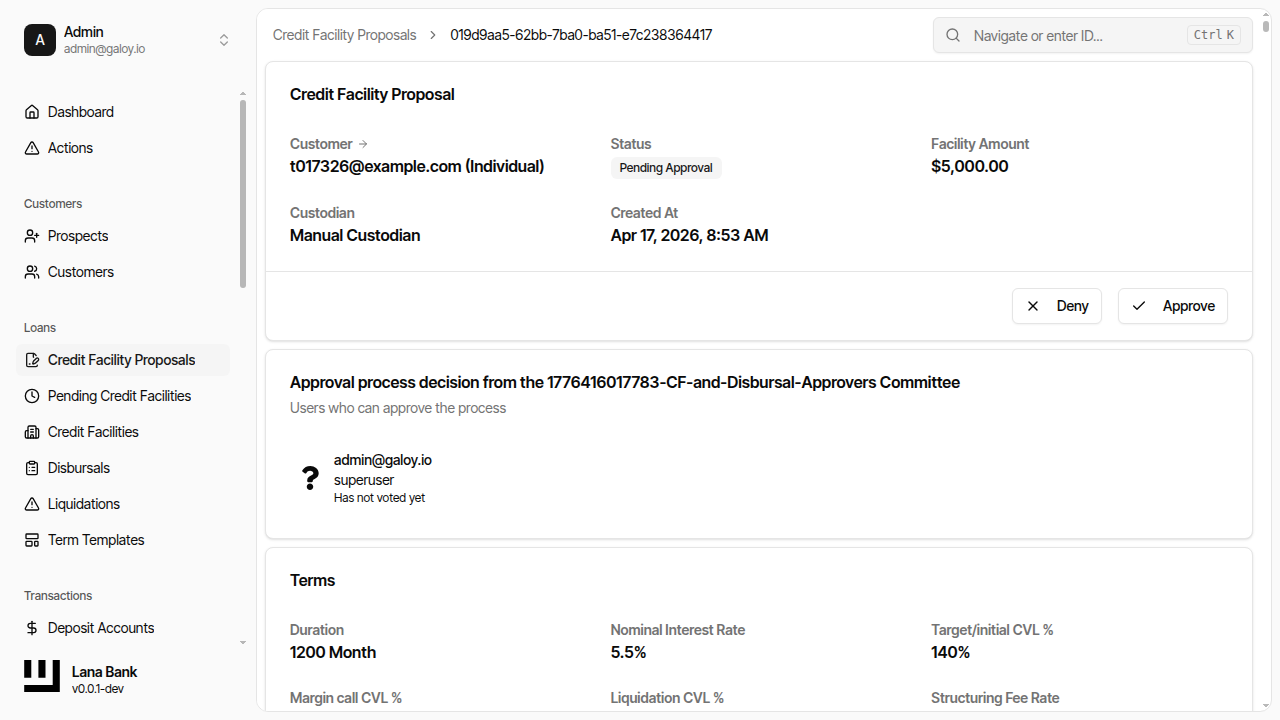
Step 12. Confirm approval in the dialog.
Step 13. Verify the proposal status is Approved.
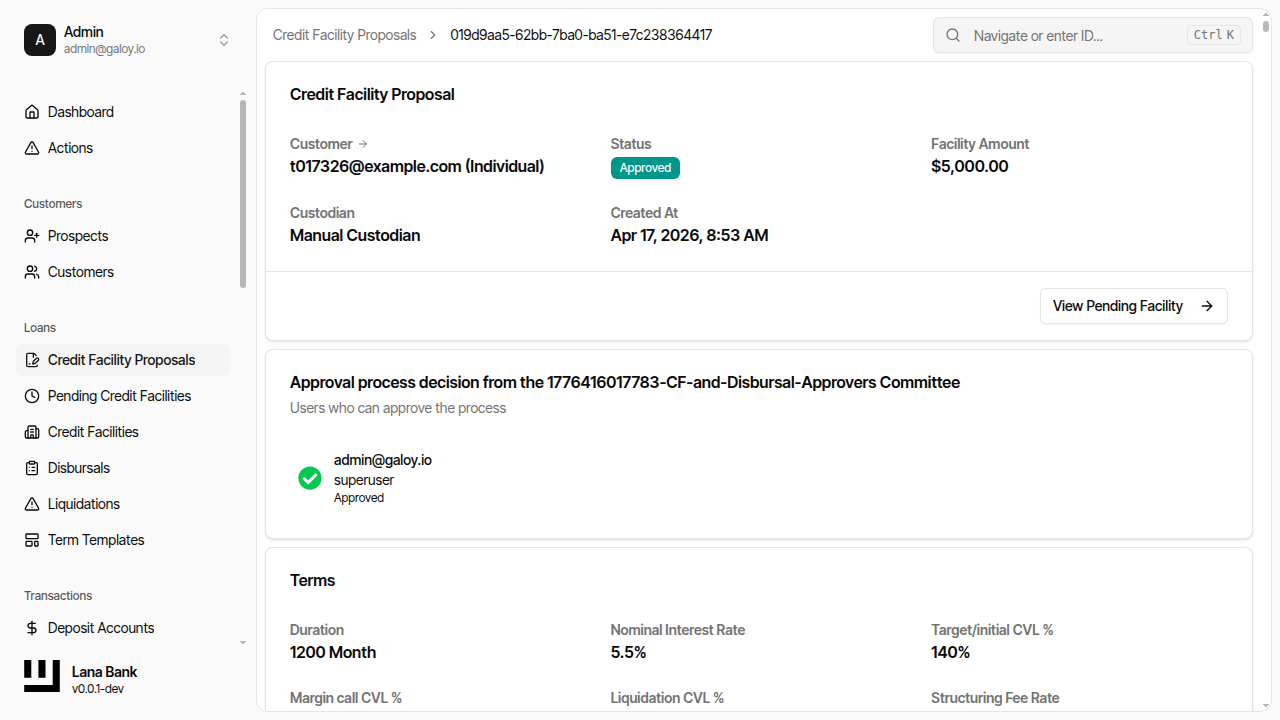
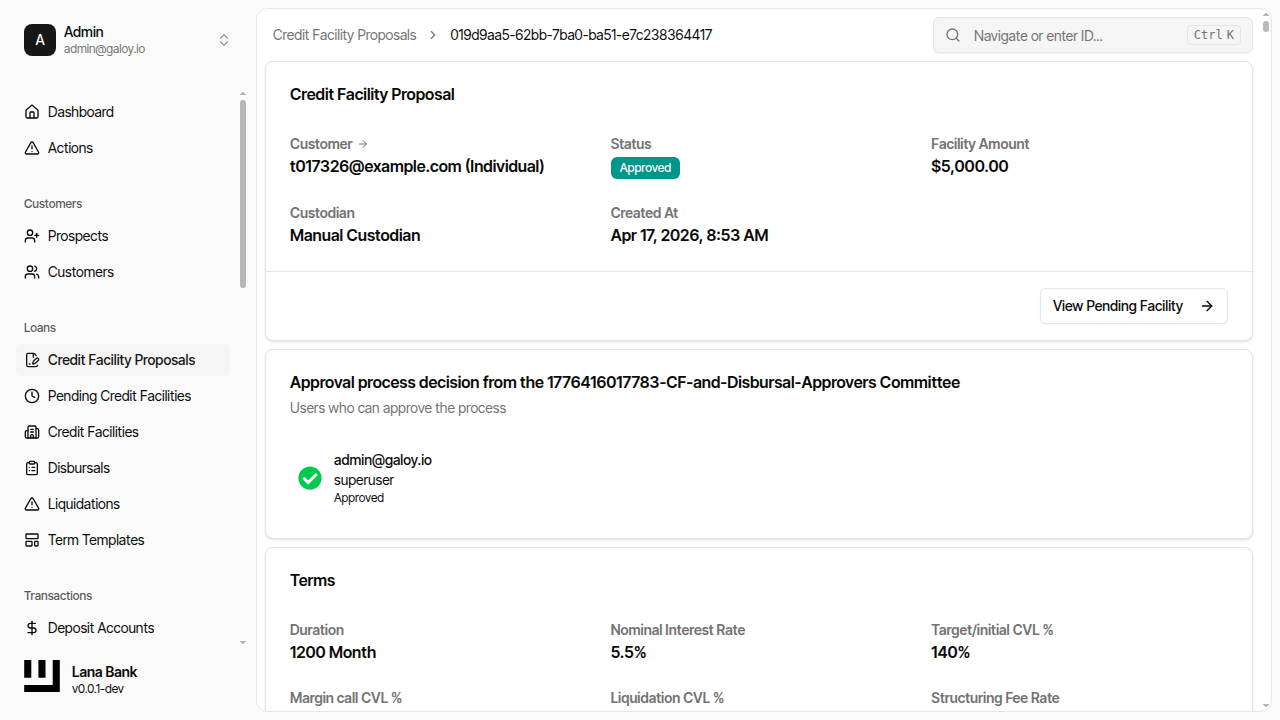
Step 14. Click View Pending Facility.
3) Collateralization and activation
After approval, the facility is still non-operational until collateral requirements are met. Activation is the moment lending can begin and interest processing starts for future balances.
When activation succeeds, treat this as the handoff point to disbursal operations. Any delay in activation generally indicates either insufficient collateral relative to terms or missing status transitions upstream.
Step 15. On the pending facility page, confirm status Pending Collateralization.
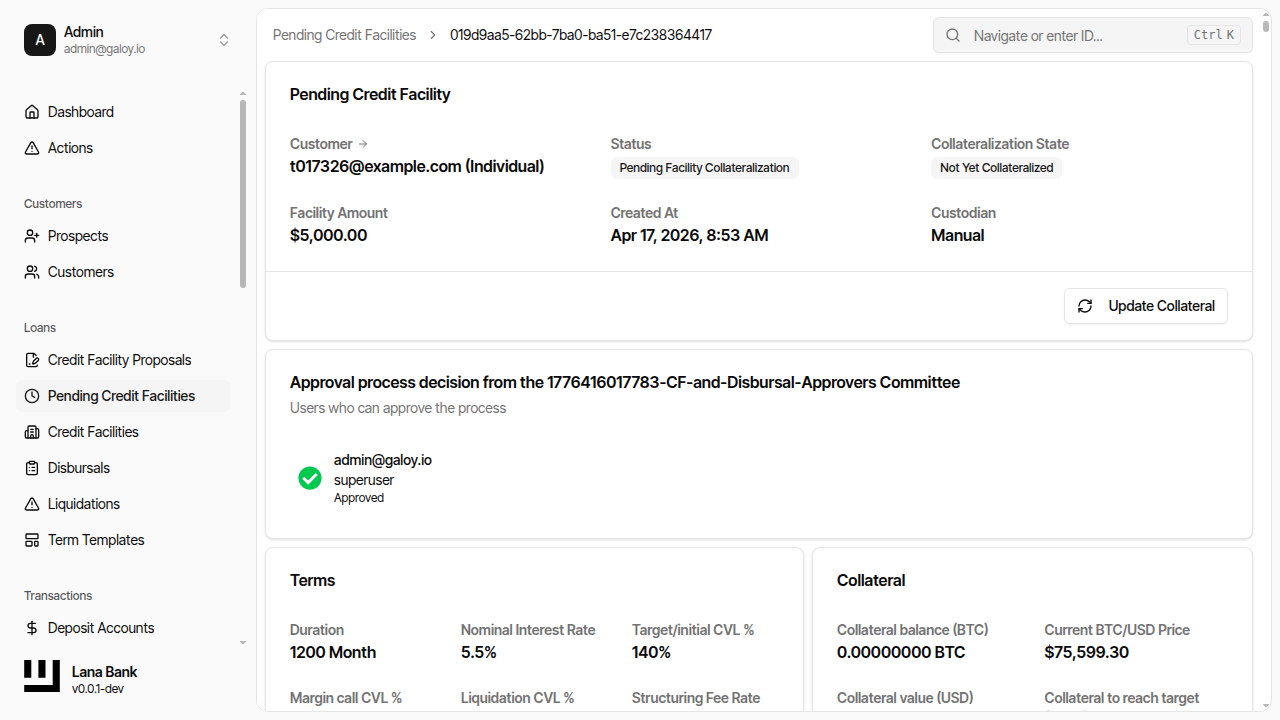
Step 16. Click Update Collateral.
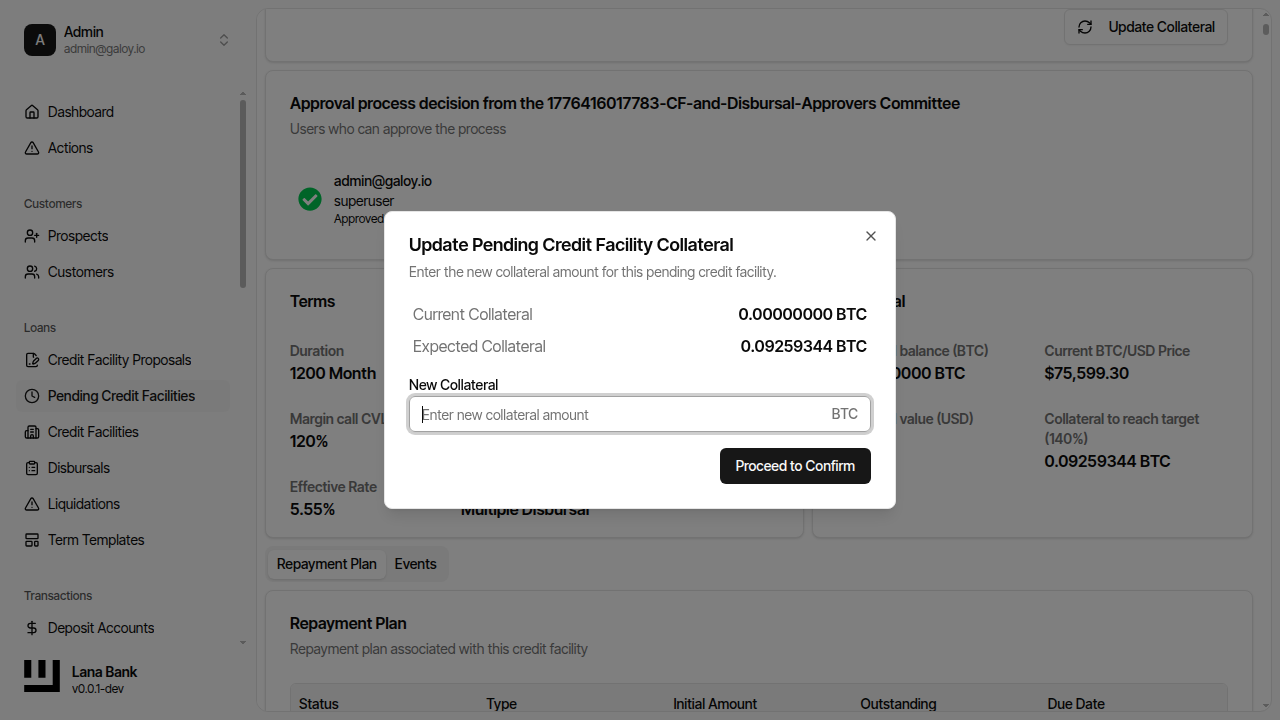
Step 17. Enter the new collateral amount.
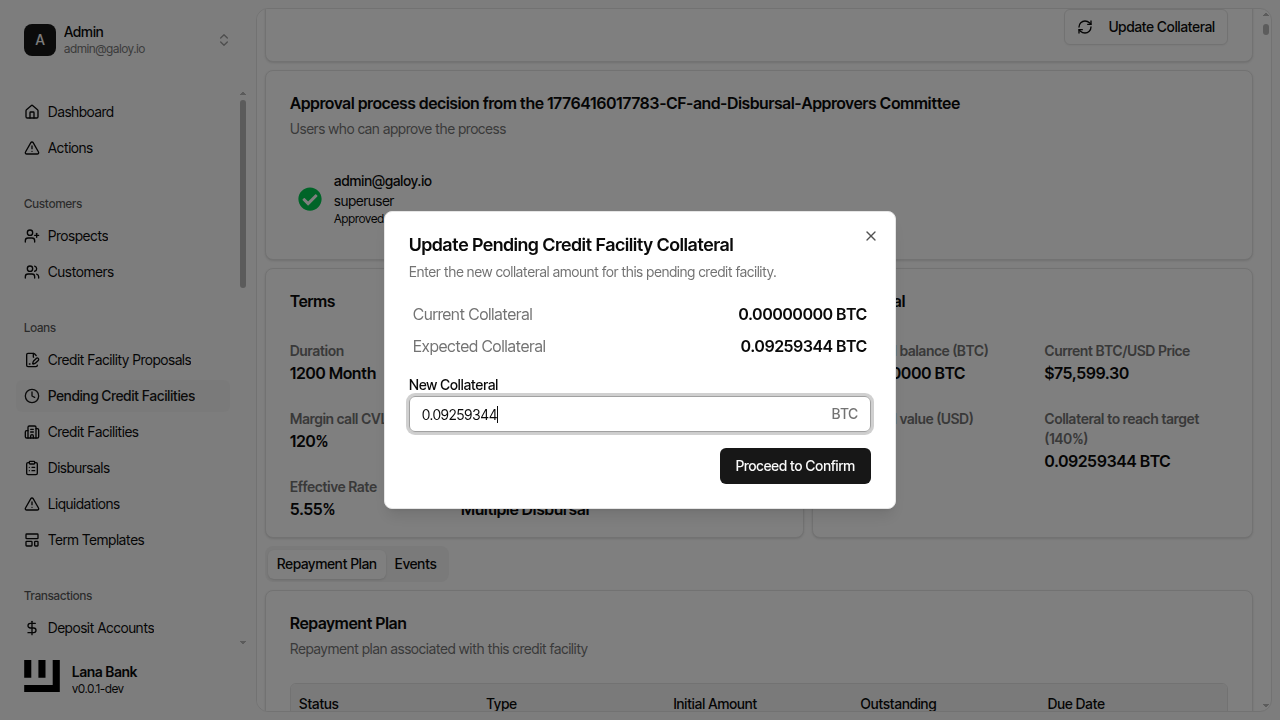
Step 18. Confirm collateral update succeeds.
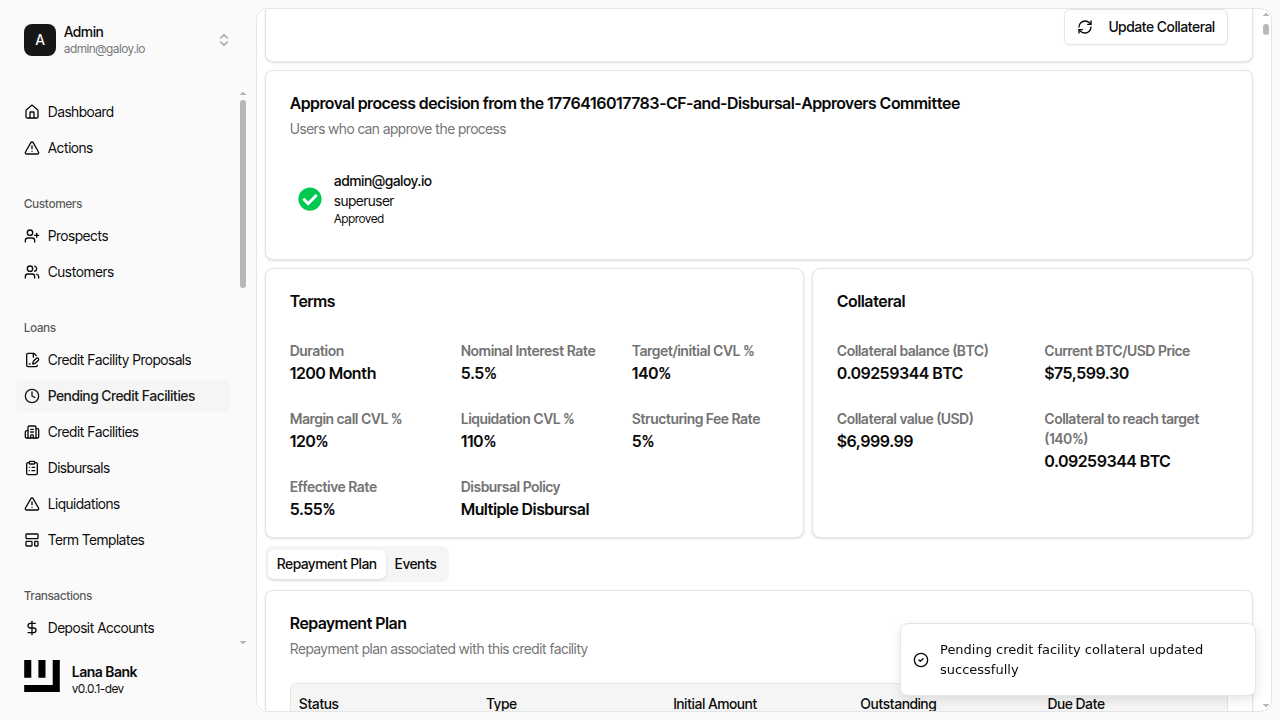
Step 19. Verify pending facility status moves to Completed.
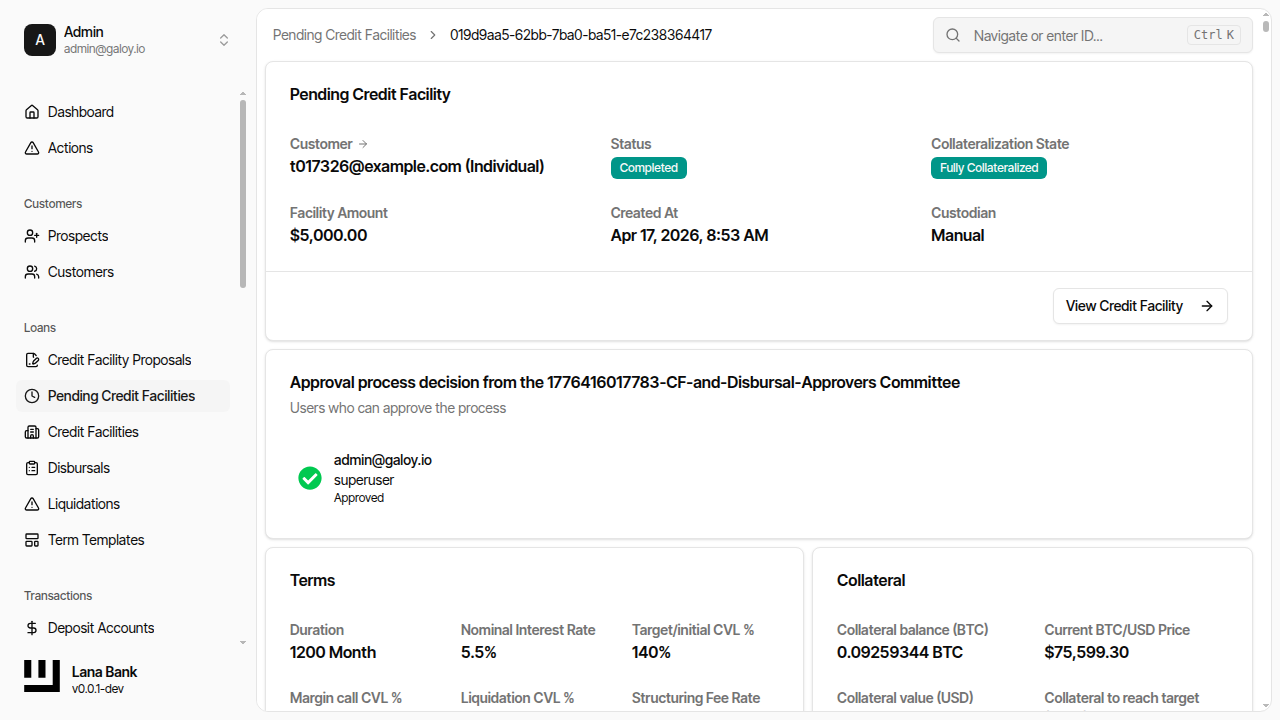
Step 20. Click View Facility.
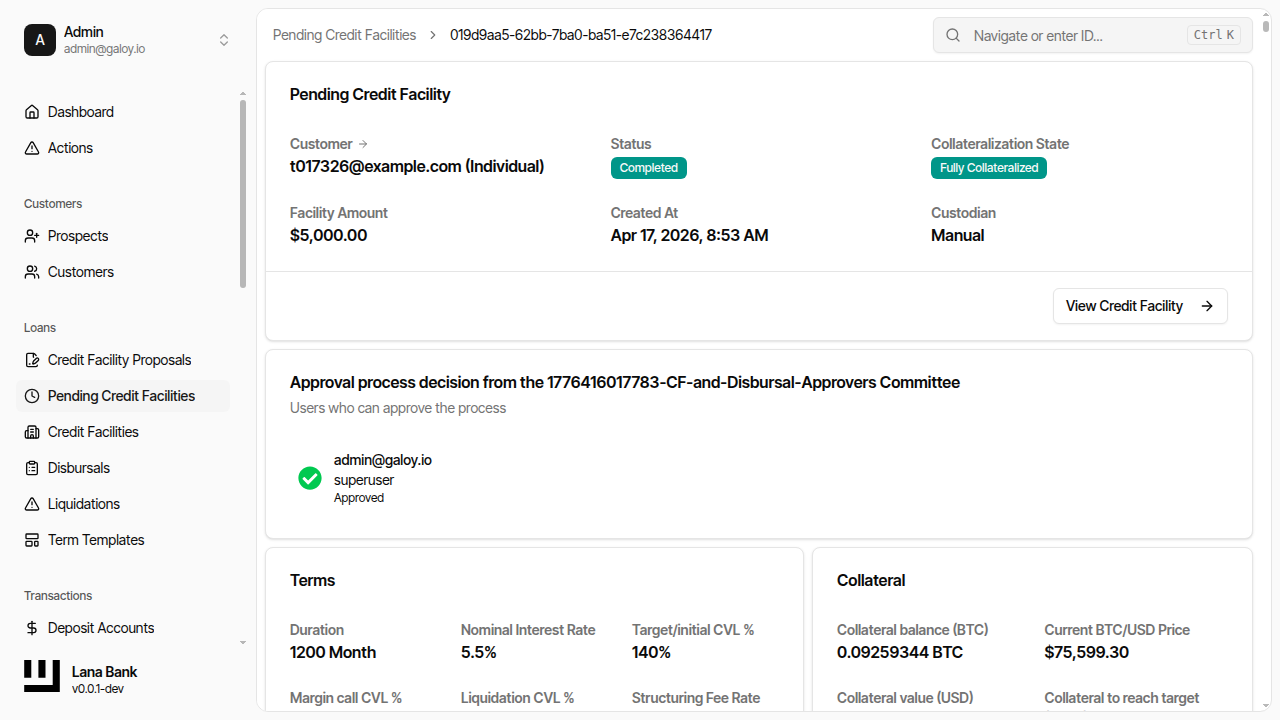
Step 21. Confirm credit facility status is Active.
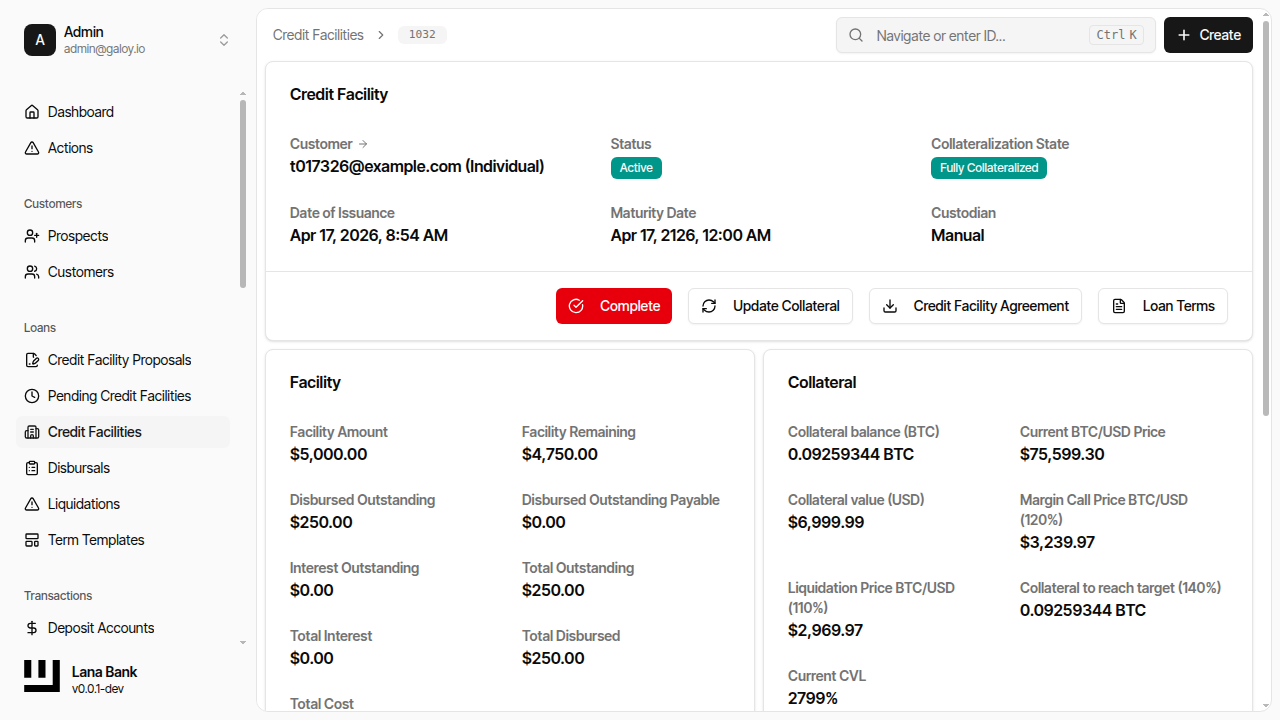
Step 22. Verify the active facility appears in the facilities list.