Financial Reports
Financial reports in Lana are generated in real time from the Cala double-entry ledger. Unlike regulatory reports (which are batch-generated through the Dagster pipeline), financial statements are always current and reflect the latest state of all accounts. They are available through the admin panel and GraphQL API.
Trial Balance
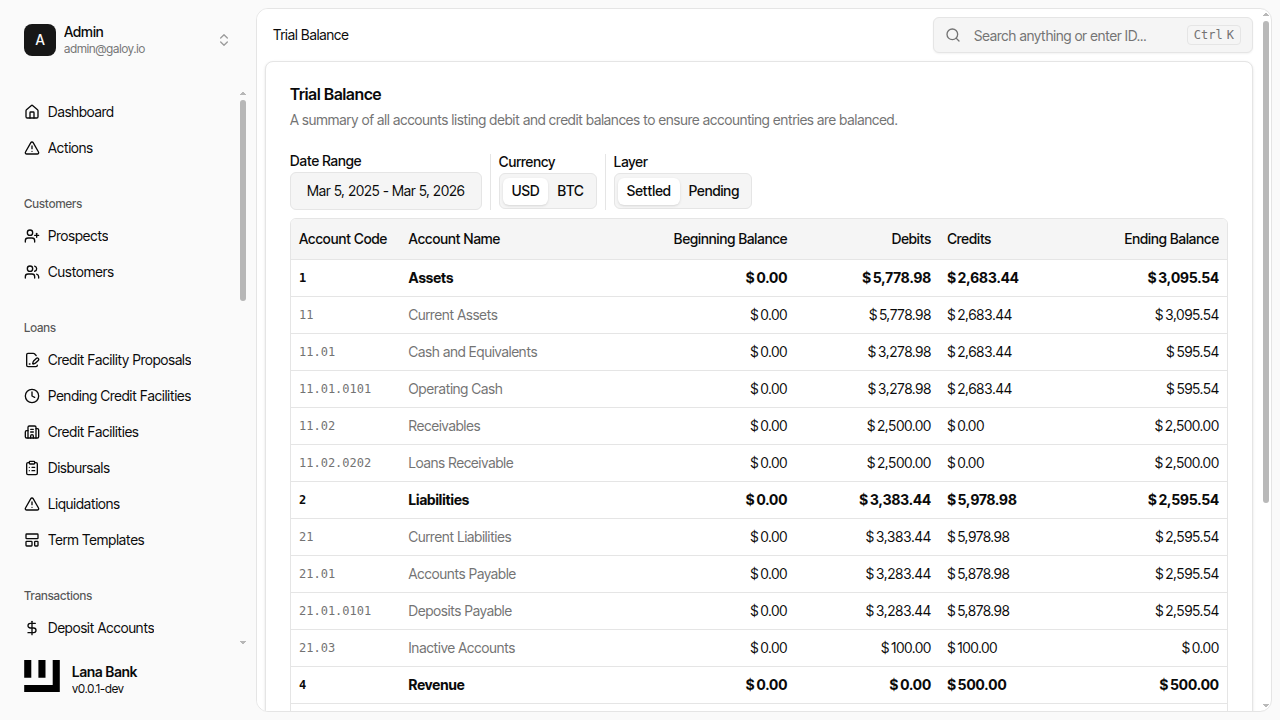
The trial balance lists all first-level accounts in the chart of accounts with their debit and credit balances for a specified date range. Its primary purpose is verification: total debits must equal total credits. If they do not, there is a bookkeeping error somewhere in the system.
What It Shows
| Column | Description |
|---|---|
| Account | Account code and name from the chart of accounts |
| Opening Balance | Balance at the start of the selected period |
| Period Activity (Debit) | Total debit movements during the period |
| Period Activity (Credit) | Total credit movements during the period |
| Closing Balance | Balance at the end of the selected period |
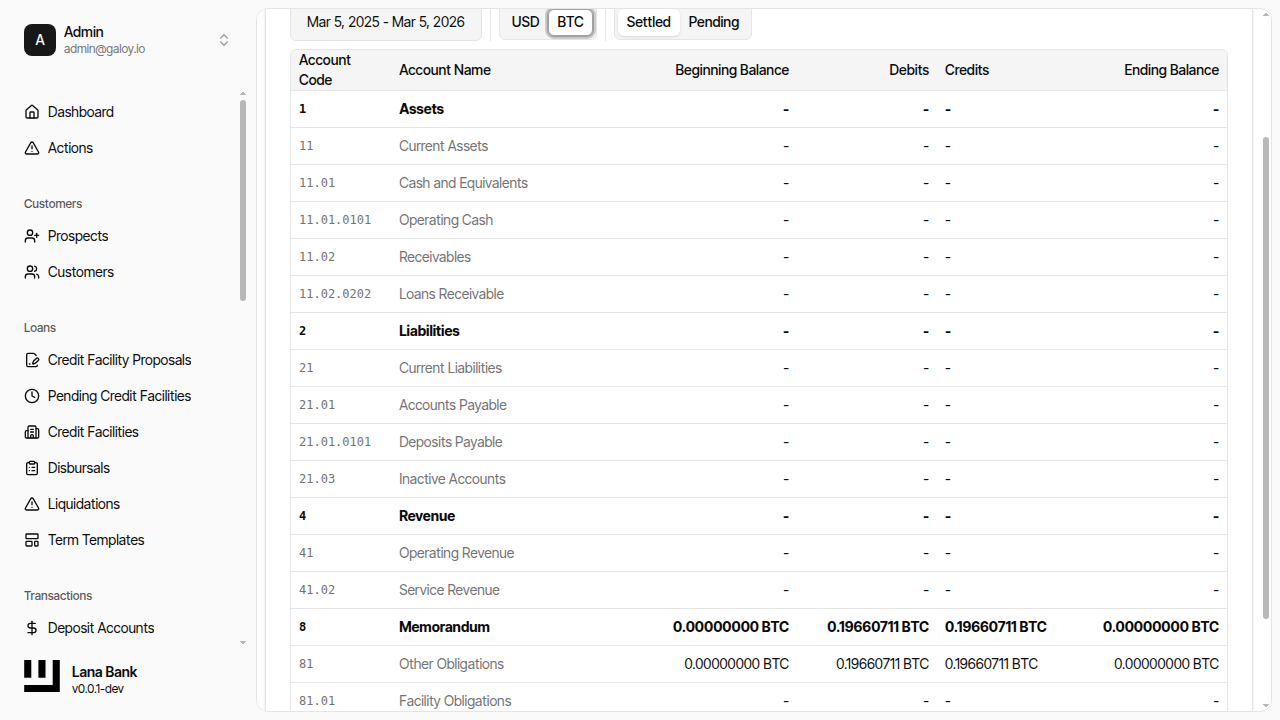
The trial balance aggregates balances across all child accounts under each first-level node using CALA account sets. Both USD and BTC currencies are supported and can be viewed separately.
When to Use
- Daily verification: Confirm that the ledger is internally consistent (debits = credits).
- Before monthly close: Verify the trial balance before closing a month to catch discrepancies.
- Investigating errors: The trial balance is the first place to look when an accounting discrepancy is suspected.
Balance Sheet
The balance sheet presents the bank's financial position at a specific date, organized into the fundamental accounting equation: Assets = Liabilities + Equity.
Structure
The balance sheet is implemented as a hierarchy of CALA account sets. Each category (Assets, Liabilities, Equity) is an account set that contains the corresponding chart-of-accounts account sets as children. Equity includes a "Current Earnings" sub-section that contains Revenue, Cost of Revenue, and Expenses — this provides the link between the balance sheet and the P&L.
Both USD and BTC currencies are available. The balance layer can be filtered (settled vs. pending) to see confirmed-only or all-inclusive balances.
When to Use
- Financial position reporting: Understand what the bank owns (assets), owes (liabilities), and the residual value (equity) at any point in time.
- Regulatory reporting: The balance sheet feeds into several regulatory report calculations.
- Period-end review: Before closing a fiscal year, verify that the balance sheet equation holds and that retained earnings are correct.
Profit and Loss Statement
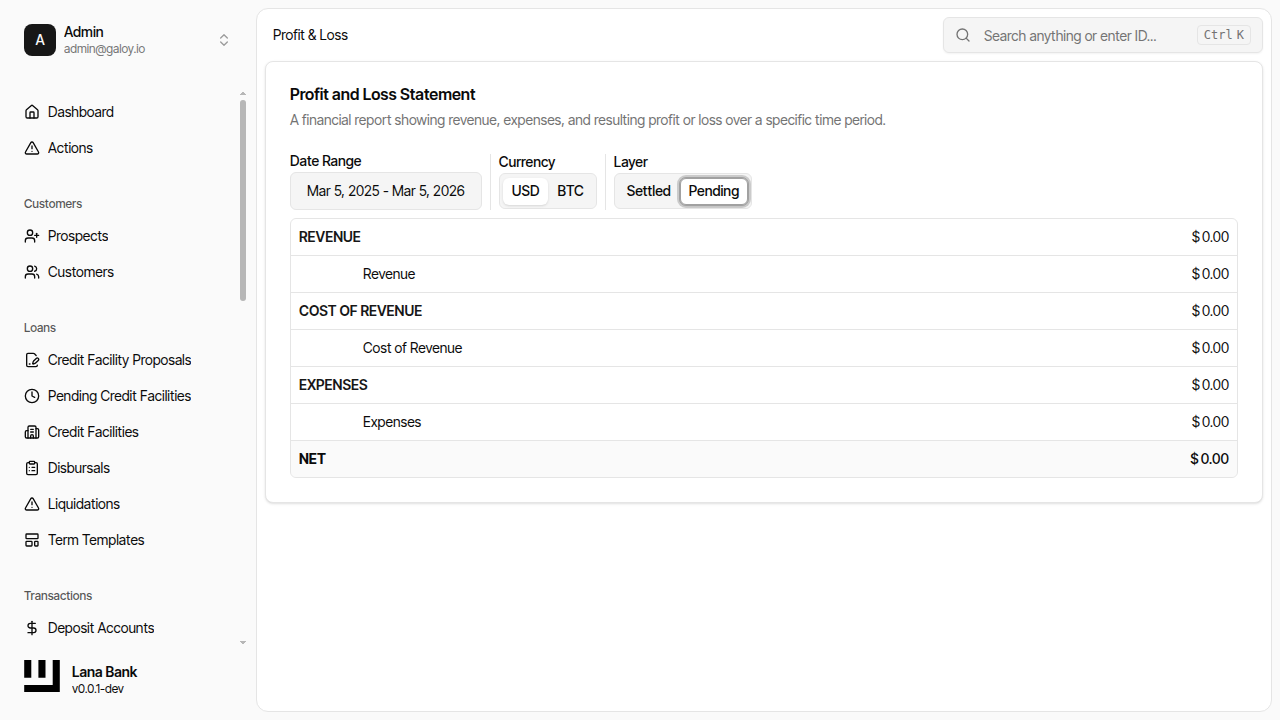
The profit and loss (P&L) statement shows the bank's financial performance over a period by calculating net income: Net Income = Revenue - Cost of Revenue - Expenses.
Sections
| Section | Normal Balance | Components |
|---|---|---|
| Revenue | Credit | Interest income from credit facilities, fee income from structuring fees |
| Cost of Revenue | Debit | Direct costs associated with revenue generation |
| Expenses | Debit | Provisions for loan losses, operational expenses |
The P&L is structured similarly to the balance sheet: a root account set contains Revenue, Cost of Revenue, and Expenses as children, each linked to the corresponding chart-of-accounts categories.
At the end of each fiscal year, the closing process zeros out all P&L accounts and transfers the net result to retained earnings on the balance sheet (see Period Closing).
When to Use
- Performance tracking: Monitor revenue and expenses over any time period.
- Before fiscal year close: Review the P&L before executing the year-end closing entry.
- Variance analysis: Compare period-over-period performance to identify trends.
Ledger Account CSV Export
Individual ledger account transaction histories can be exported to CSV for detailed analysis. This is useful for reconciliation, auditing, or feeding data into external tools.
How It Works
- Navigate to a ledger account in the chart of accounts.
- Request a CSV export.
- The system asynchronously generates a CSV file containing the full transaction history.
- A real-time notification (via GraphQL subscription) alerts the UI when the export is ready.
- Generate a download link to retrieve the file.
CSV Format
| Column | Description |
|---|---|
| Recorded At | Timestamp of the transaction |
| Currency | USD or BTC |
| Debit Amount | Debit amount (if applicable) |
| Credit Amount | Credit amount (if applicable) |
| Description | Transaction description |
| Entry Type | Type of ledger entry |
Admin Panel Walkthrough: Trial Balance
Step 1. Open the trial balance report.
Step 2. Switch currency view (example: BTC).
Admin Panel Walkthrough: Balance Sheet
Step 1. Open the balance sheet report.
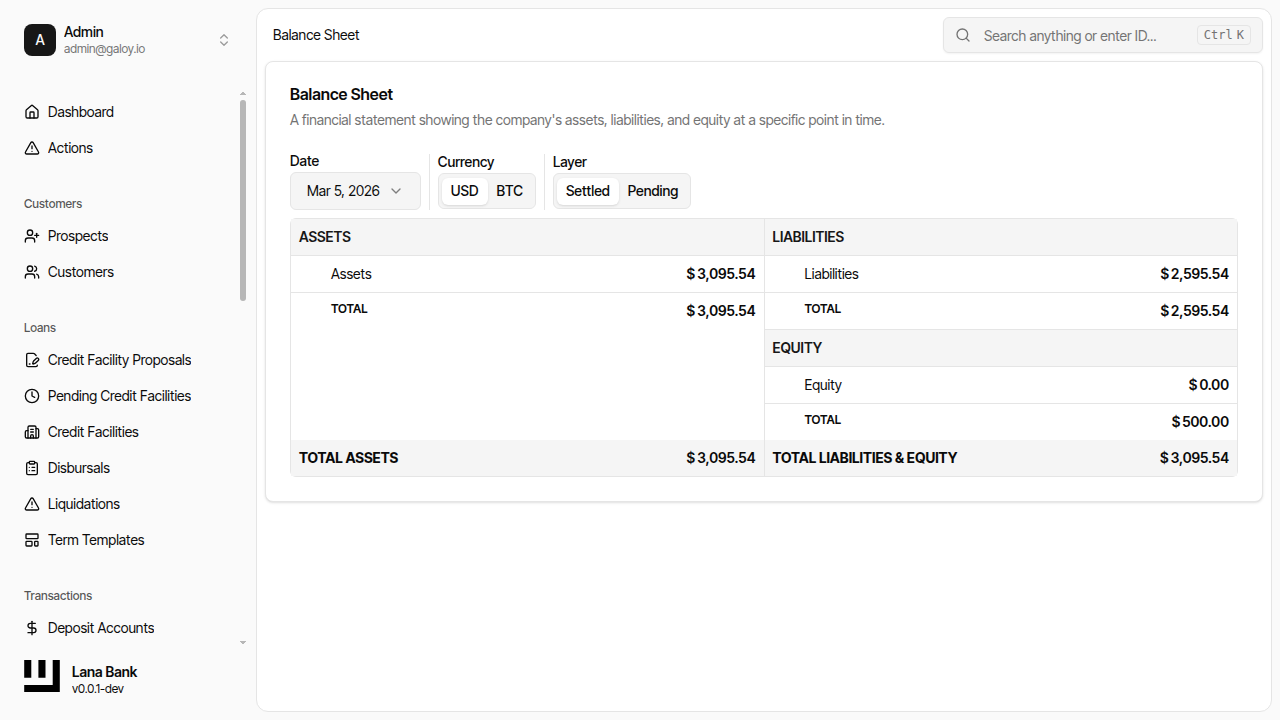
Step 2. Switch currency (USD/BTC).
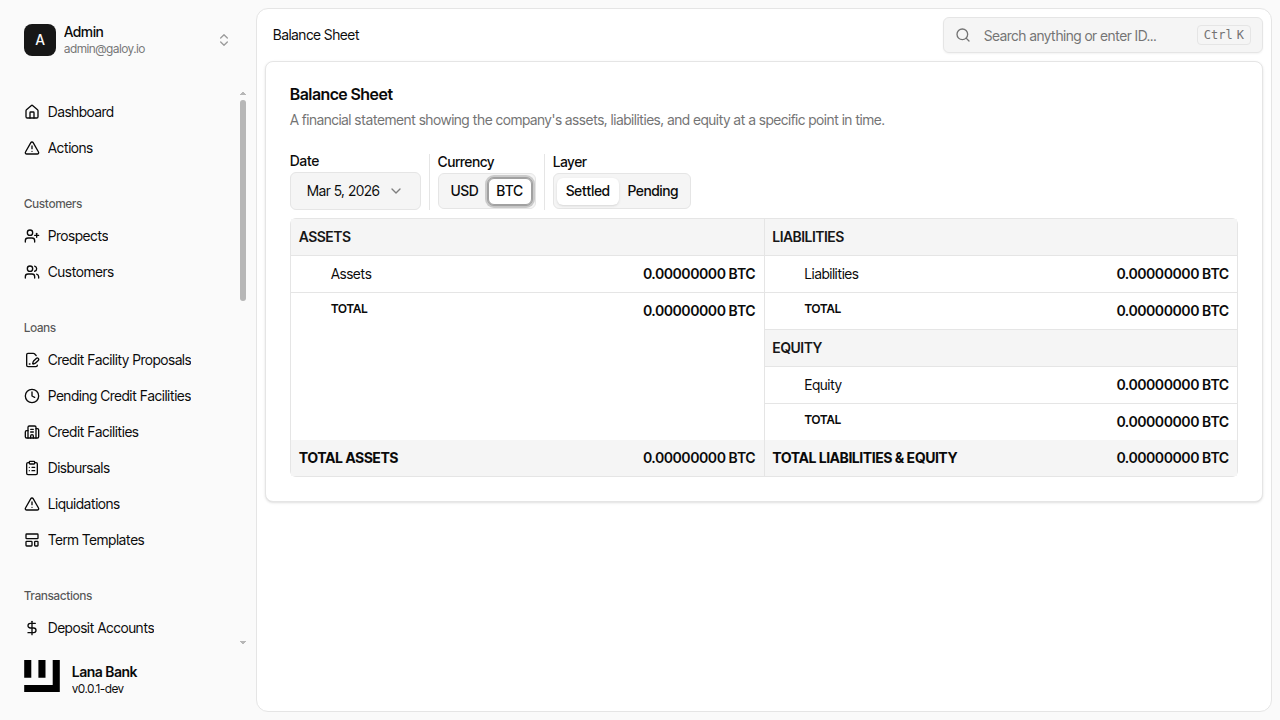
Step 3. Filter by balance layer (example: pending).
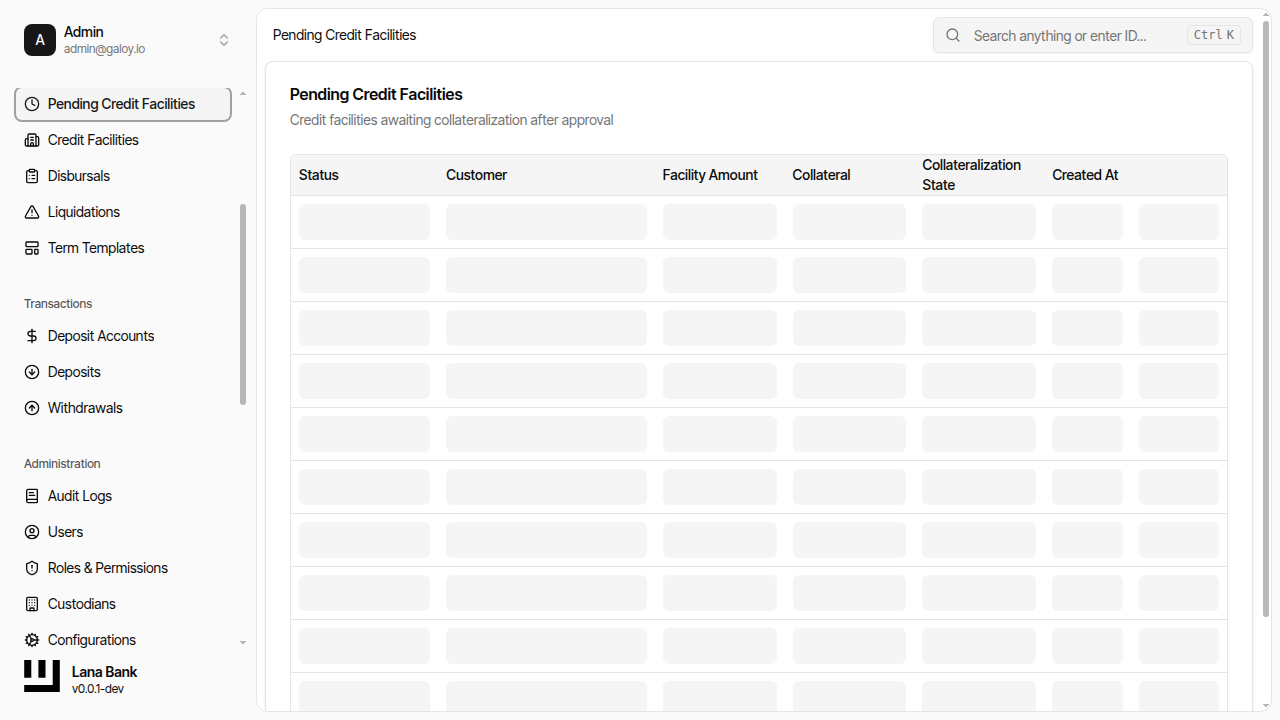
Admin Panel Walkthrough: Profit and Loss
Step 1. Open profit and loss report.
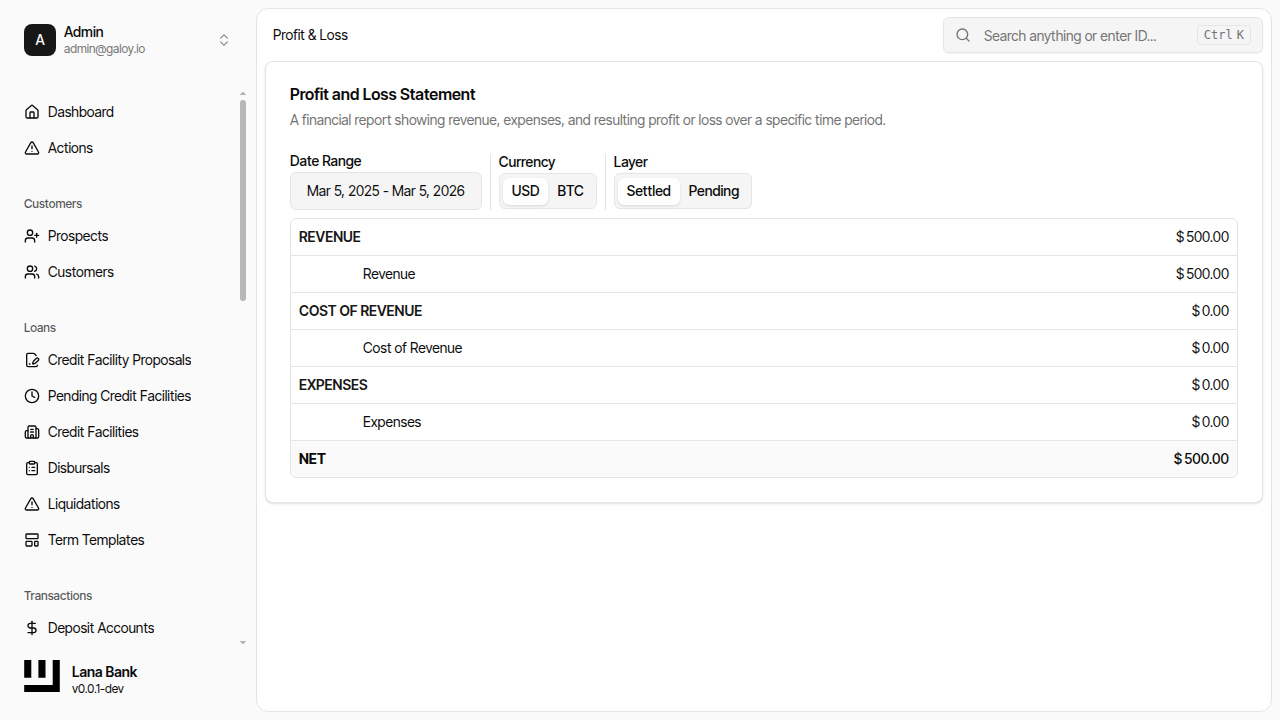
Step 2. Switch currency view.
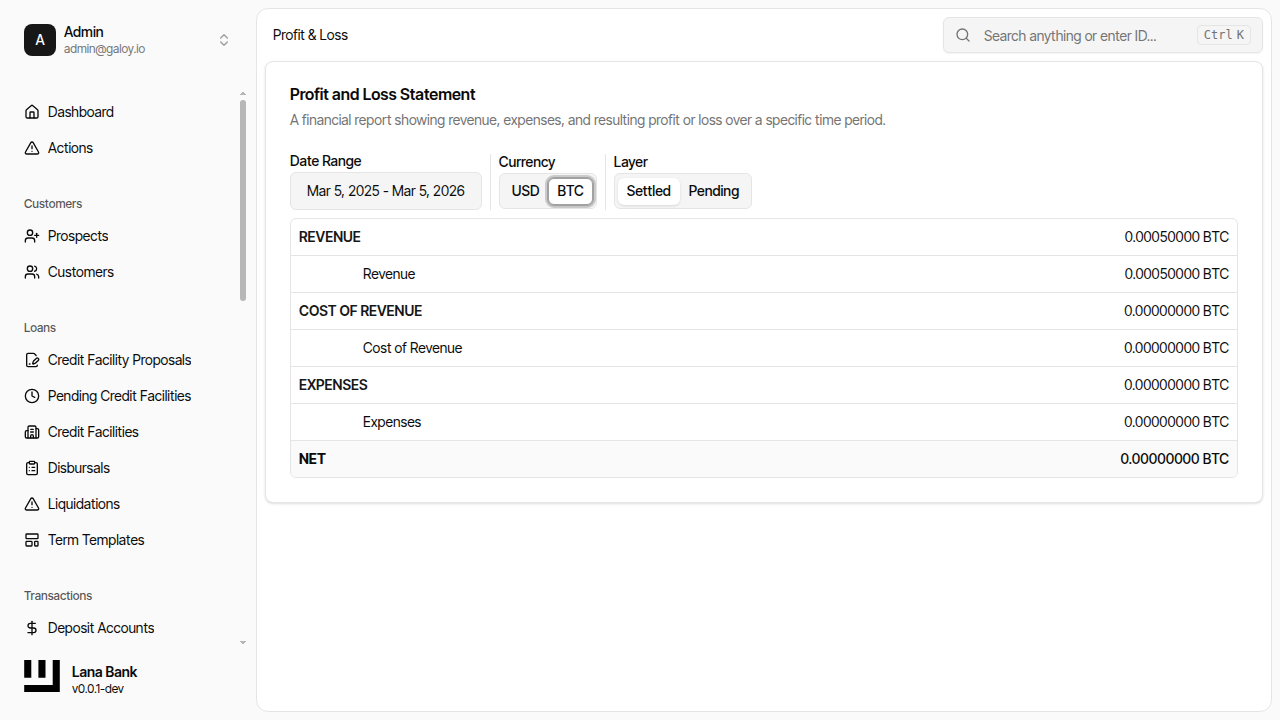
Step 3. Filter by layer (example: pending).