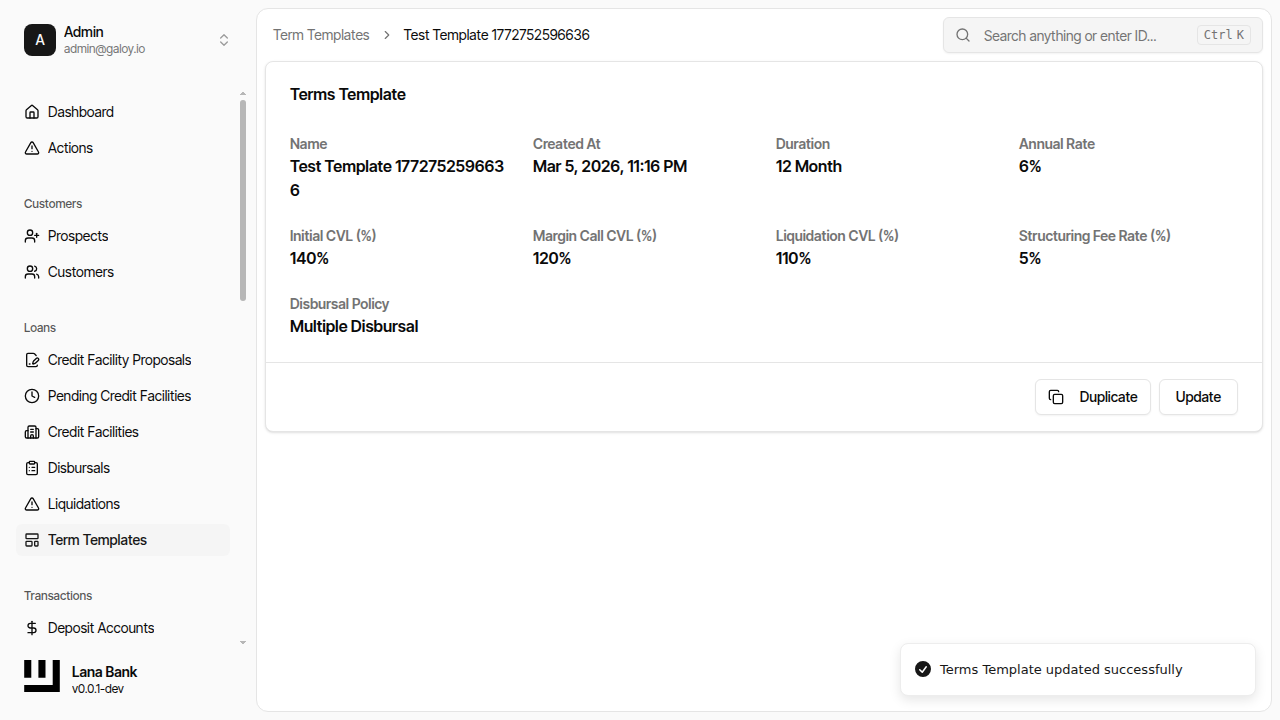
Terms
Terms is a value object that captures the complete set of parameters under which a credit facility operates. When a facility is created from a proposal, the terms are copied from a template and become the permanent contract governing the facility's behavior. They cannot be changed after facility creation.
Fields
Interest Rate
annual_rate — The annualized interest rate charged on outstanding principal, expressed as a percentage.
The system uses this rate to calculate daily interest: principal * days * rate / 365, rounded to whole USD cents. This calculation runs on every accrual period (typically daily), and the results accumulate throughout each accrual cycle (typically monthly) before being posted as an interest obligation.
Duration and Maturity
duration — The total lifespan of the credit facility, specified in months.
The maturity date is calculated by adding this many months to the facility's activation date. The duration also determines the accounting classification: facilities with a duration of 12 months or less are classified as "short-term" and facilities longer than 12 months as "long-term." This classification determines which ledger account set (short-term vs. long-term receivables) is used for the facility's accounting entries.
After maturity:
- No new disbursals are permitted.
- No new interest accrual cycles are started.
- Any accrued but not-yet-posted interest is immediately consolidated into a final obligation.
- The facility remains open until all outstanding obligations are fully paid.
Interest Timing
accrual_interval — The frequency at which interest is calculated within each cycle. Typically set to EndOfDay, meaning interest is computed daily on the outstanding balance.
accrual_cycle_interval — The cadence at which accumulated interest becomes an obligation. Typically set to EndOfMonth, meaning daily interest calculations are summed and posted as a payable interest obligation at the end of each month.
These two intervals create a two-level timing system. The accrual_interval controls the granularity of interest calculation (daily is more precise), while the accrual_cycle_interval controls how often the customer receives an interest bill. This separation allows the bank to calculate interest at fine granularity while billing at practical intervals.
Obligation Timing
interest_due_duration_from_accrual — The time between when interest is accrued (end of cycle) and when the resulting obligation becomes due. With a value of Days(0), the interest obligation is due immediately when the cycle ends.
obligation_overdue_duration_from_due — Optional grace period after the due date before an obligation transitions to "overdue" status. When set, obligations move from Due to Overdue after this many days past the due date. When not set, obligations never enter the overdue state.
obligation_liquidation_duration_from_due — Optional period after the due date at which an unpaid obligation enters the "defaulted" state and becomes eligible for the collection/liquidation process. When not set, obligations never enter the defaulted state from aging alone.
These three fields together create the graduated escalation path for unpaid obligations:
Accrual → Due → (grace period) → Overdue → (default period) → Defaulted
Fee
one_time_fee_rate — A structuring/origination fee expressed as a percentage of the facility amount, charged at disbursal time. If zero, no fee is applied.
The fee is calculated as facility_amount * (rate / 100). For single-disbursal facilities, the fee is charged as part of the initial disbursal. For multi-disbursal facilities, an initial disbursal covering just the fee amount is created automatically at activation.
Collateral Thresholds
Three collateral-to-value (CVL) percentage thresholds create a graduated safety system for managing Bitcoin collateral volatility:
initial_cvl — The collateral level required to activate a facility and the target level for post-liquidation recovery. A higher value means the bank requires more collateral cushion before extending credit.
margin_call_cvl — The threshold below which the facility enters a margin call state. Also used as the gate for new disbursals: no disbursal is allowed if it would push the CVL below this level.
liquidation_cvl — The lowest threshold. When the CVL drops below this level, a partial liquidation is automatically initiated to sell enough collateral to restore the CVL above the initial level.
Validation: The three thresholds must be strictly ordered: initial_cvl > margin_call_cvl > liquidation_cvl. Equality at any boundary is rejected at template creation time.
The four collateral states and their operational implications:
| CVL Position | State | Effect |
|---|---|---|
Above initial_cvl | Fully Collateralized | Normal operations, disbursals permitted |
Between margin_call_cvl and initial_cvl | Fully Collateralized | Normal operations, but disbursals blocked if they would push CVL below margin call |
Between liquidation_cvl and margin_call_cvl | Under Margin Call | Borrower notified to post additional collateral |
Below liquidation_cvl | Under Liquidation | Partial liquidation initiated automatically |
A hysteresis buffer prevents rapid oscillation between states when the CVL hovers near a threshold boundary.
Disbursal Policy
disbursal_policy — Controls whether the facility amount is drawn down all at once or incrementally.
- Single Disbursal: The entire facility amount is disbursed automatically at activation as a pre-approved disbursal. No additional disbursals are possible.
- Multiple Disbursal: At activation, only the structuring fee (if applicable) is disbursed. The customer can request additional disbursals over time, each requiring its own governance approval. This is useful for working capital lines where the borrower's cash needs vary.
Terms Templates
A TermsTemplate is a reusable, named collection of term values. Templates serve as product definitions: the bank creates templates for different lending products (e.g., "Standard 12-Month Secured Loan", "Working Capital Line") and operators select a template when creating a proposal.
Key characteristics:
- Copied, not linked: When a proposal is created from a template, the term values are copied into the proposal. Updating a template afterward does not change existing facilities.
- Unique names: Each template must have a unique name.
- Updatable: Template values can be modified at any time. Only future proposals using the template are affected.
- Risk controls: Templates are effectively risk controls, not just configuration. The CVL thresholds, interest rates, and fee rates defined in a template directly determine the safety boundaries and economics of every facility created from it.
Operational Importance
From an operations perspective, terms templates are the most impactful configuration in the system:
annual_rateanddurationshape borrowing cost and the obligation timeline.initial_cvl,margin_call_cvl, andliquidation_cvldefine the collateral safety boundaries that protect the bank against BTC price volatility.one_time_fee_ratecontrols upfront fee revenue.accrual_cycle_intervaldetermines billing frequency (monthly billing is standard).disbursal_policycontrols whether lending is single-shot or incremental.
Template quality directly impacts approval behavior, activation requirements, interest accrual patterns, and downstream collateral monitoring. Incorrect thresholds or intervals in terms templates produce incorrect lifecycle behavior for every facility created from them.
Admin Panel Walkthrough: Create and Update Terms Template
A) Create template
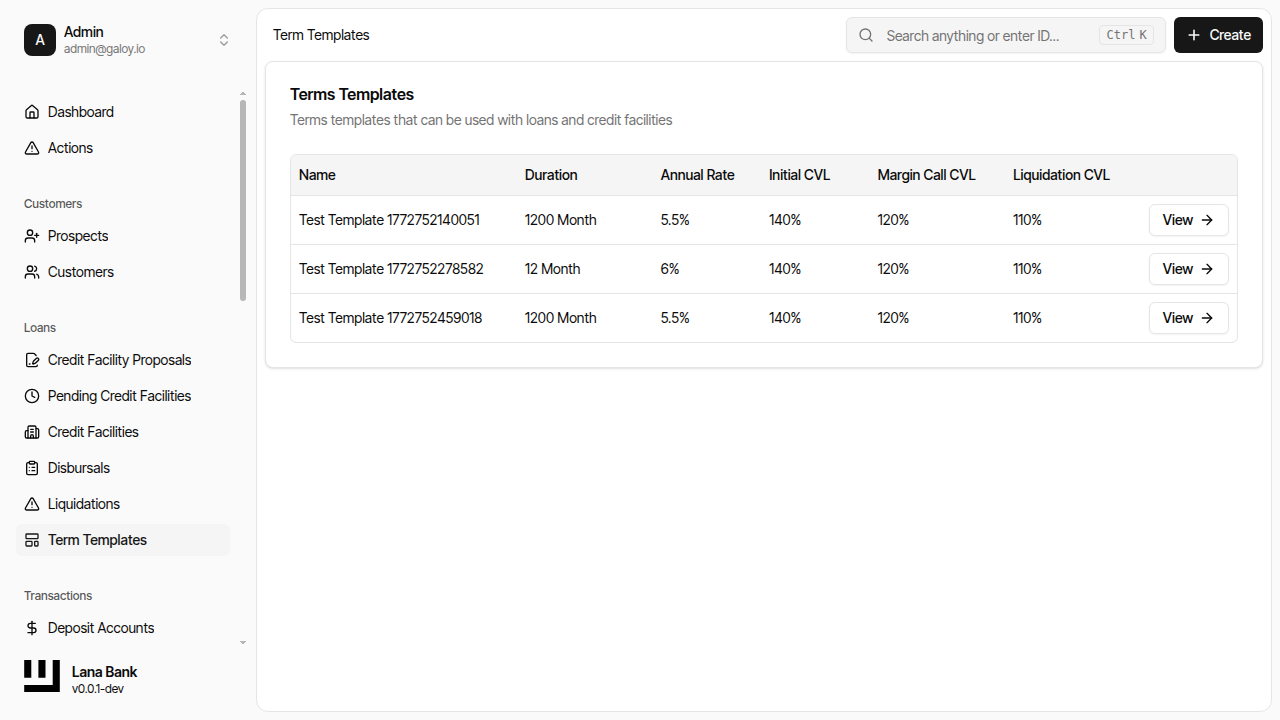
Step 1. Open terms templates page.
Step 2. Click Create.
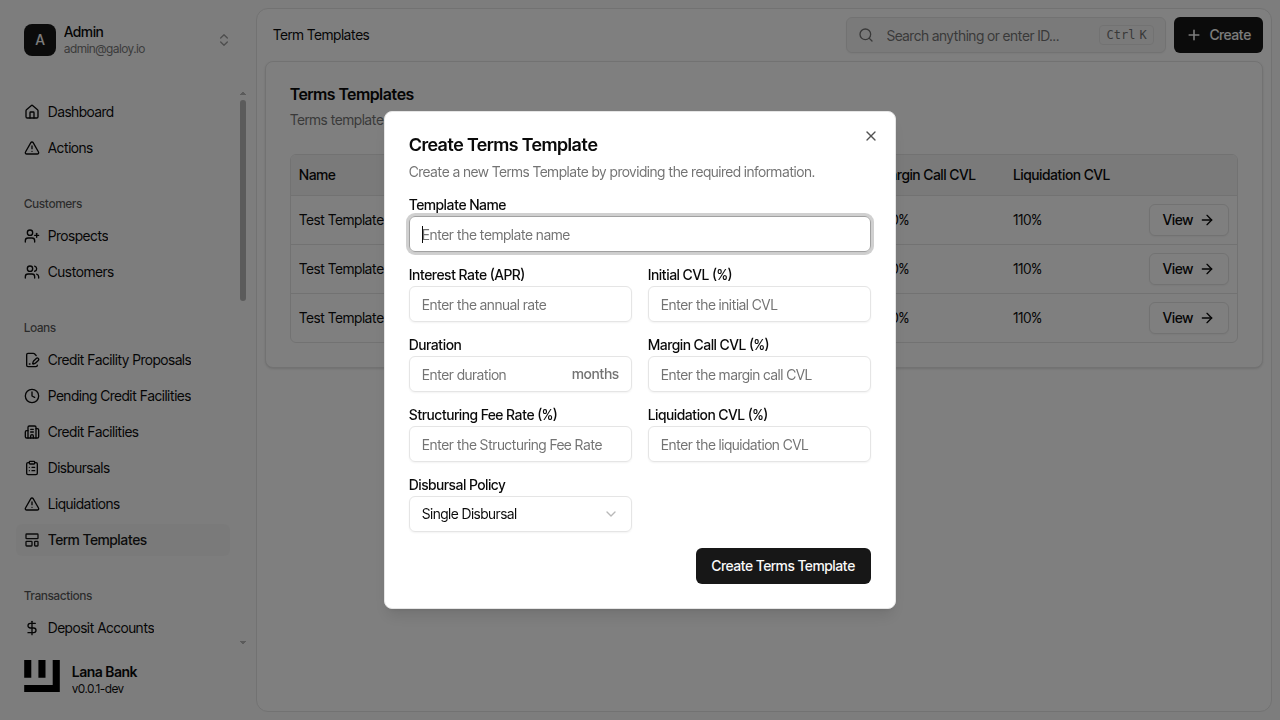
Step 3. Enter unique template name.
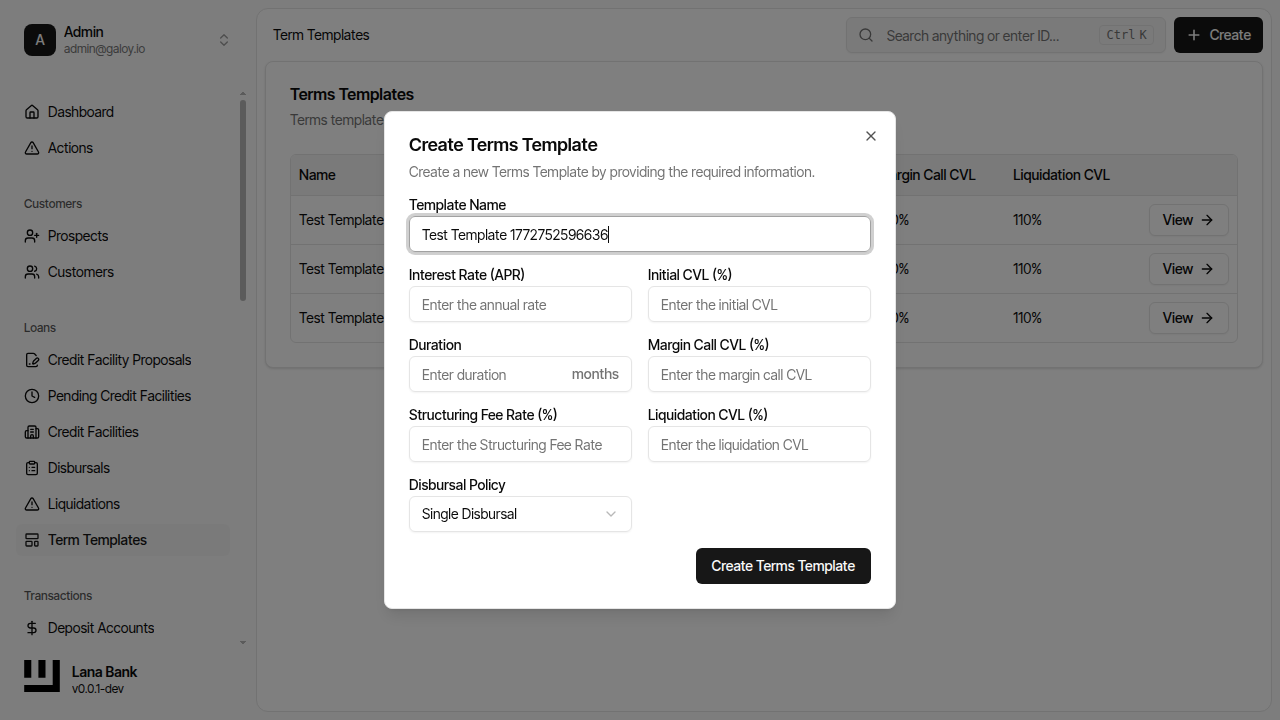
Step 4. Enter annual rate.
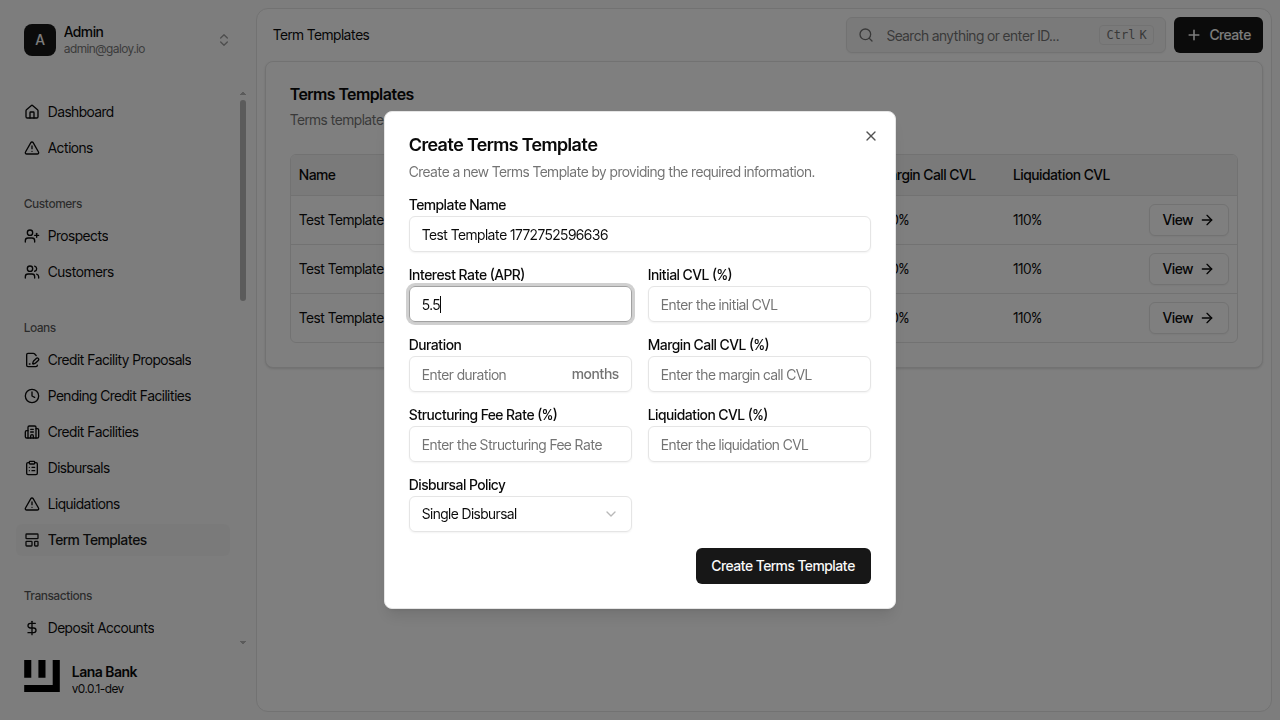
Step 5. Enter duration units.
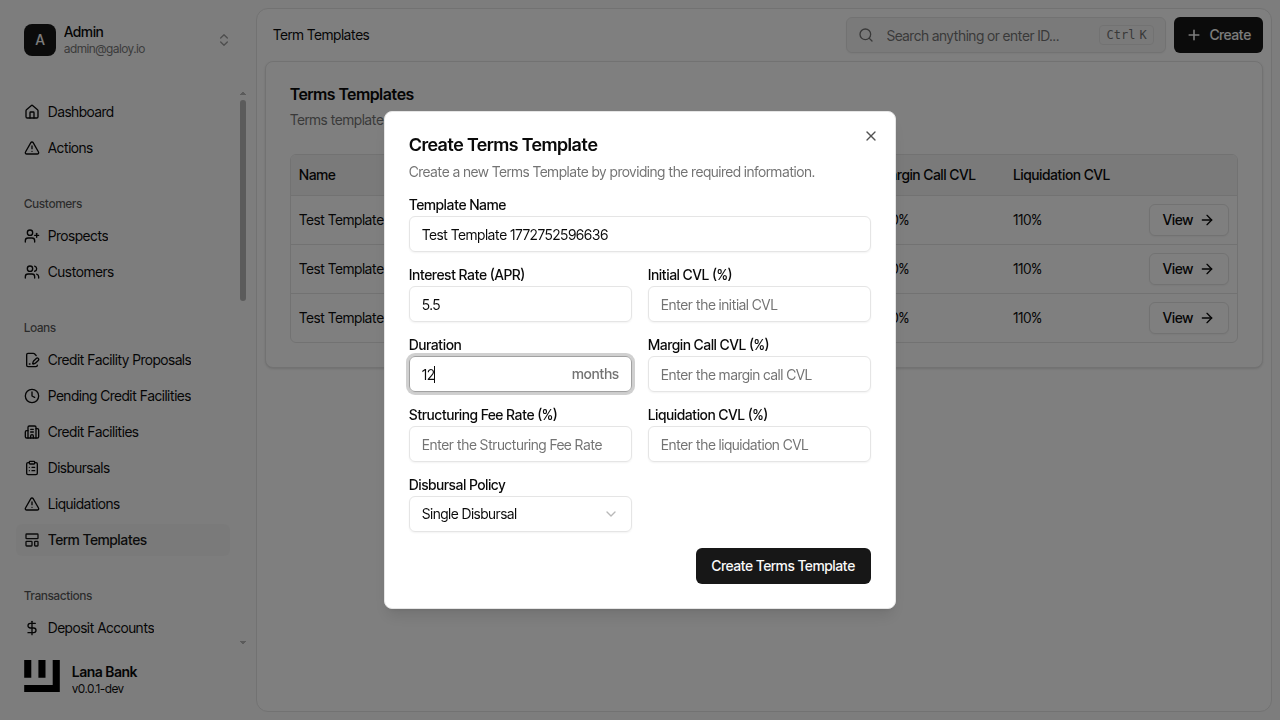
Step 6. Enter initial_cvl.
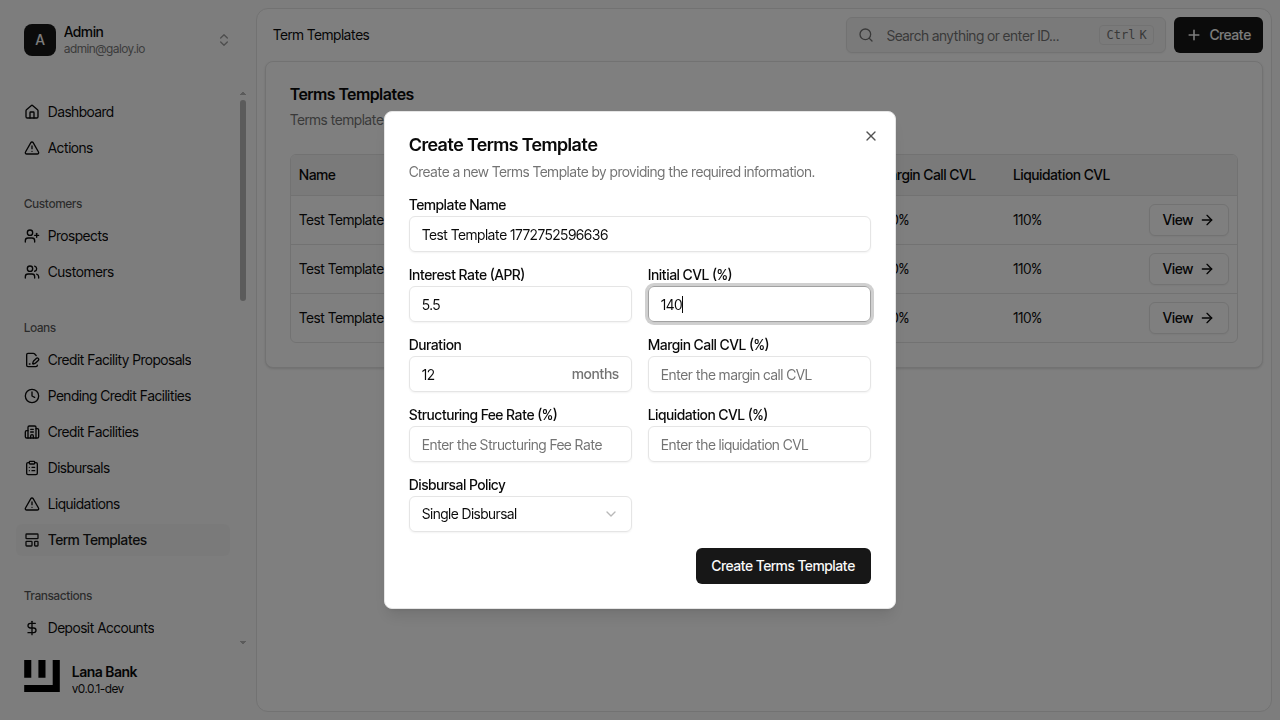
Step 7. Enter margin_call_cvl.
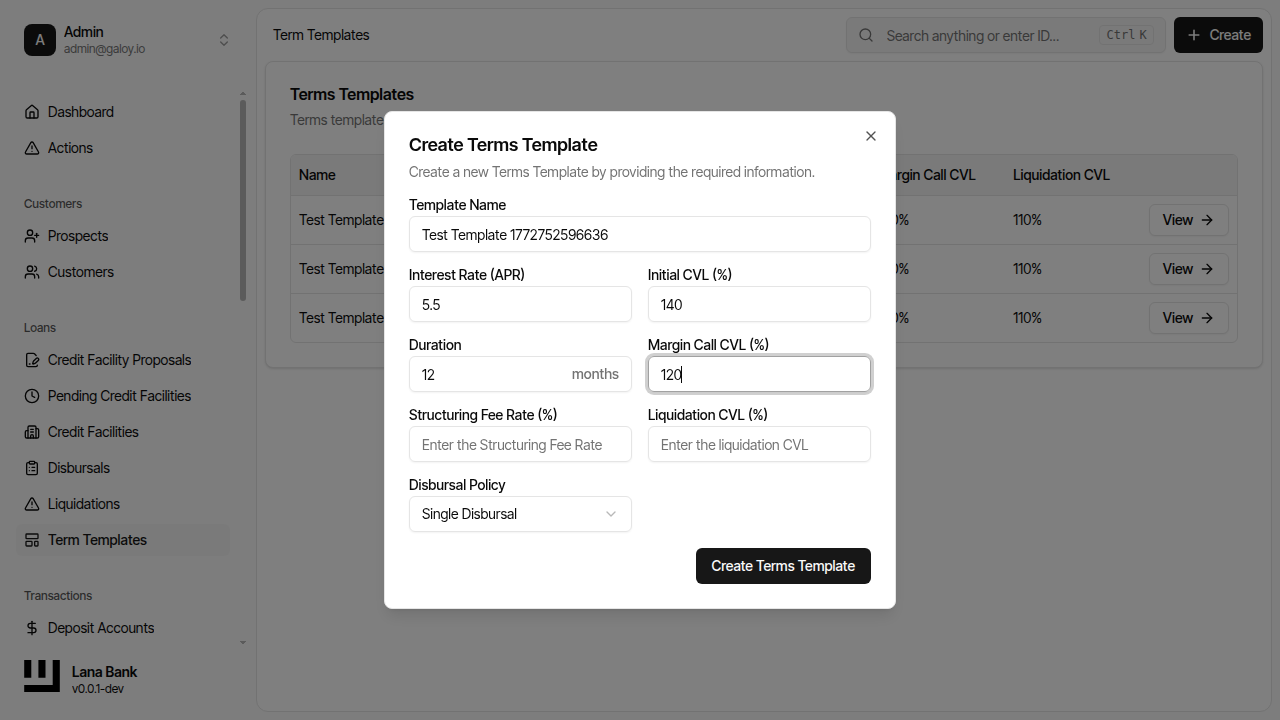
Step 8. Enter liquidation_cvl.
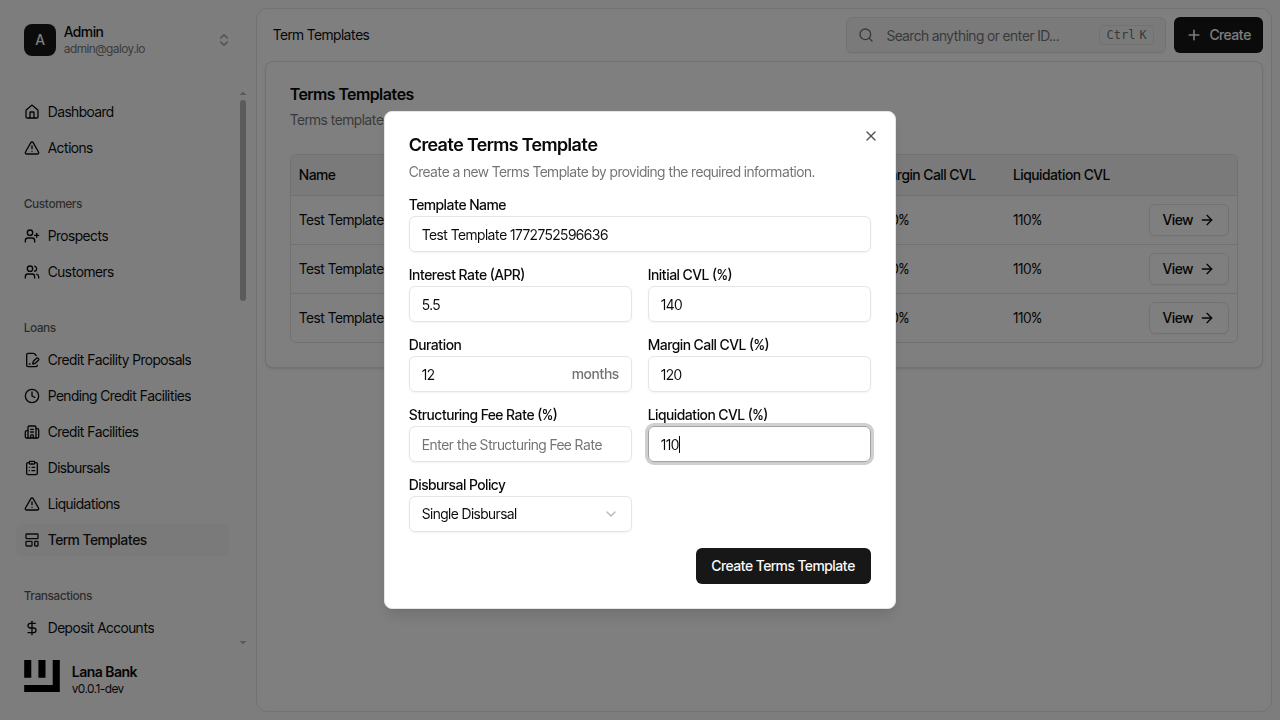
Step 9. Enter one-time fee rate.
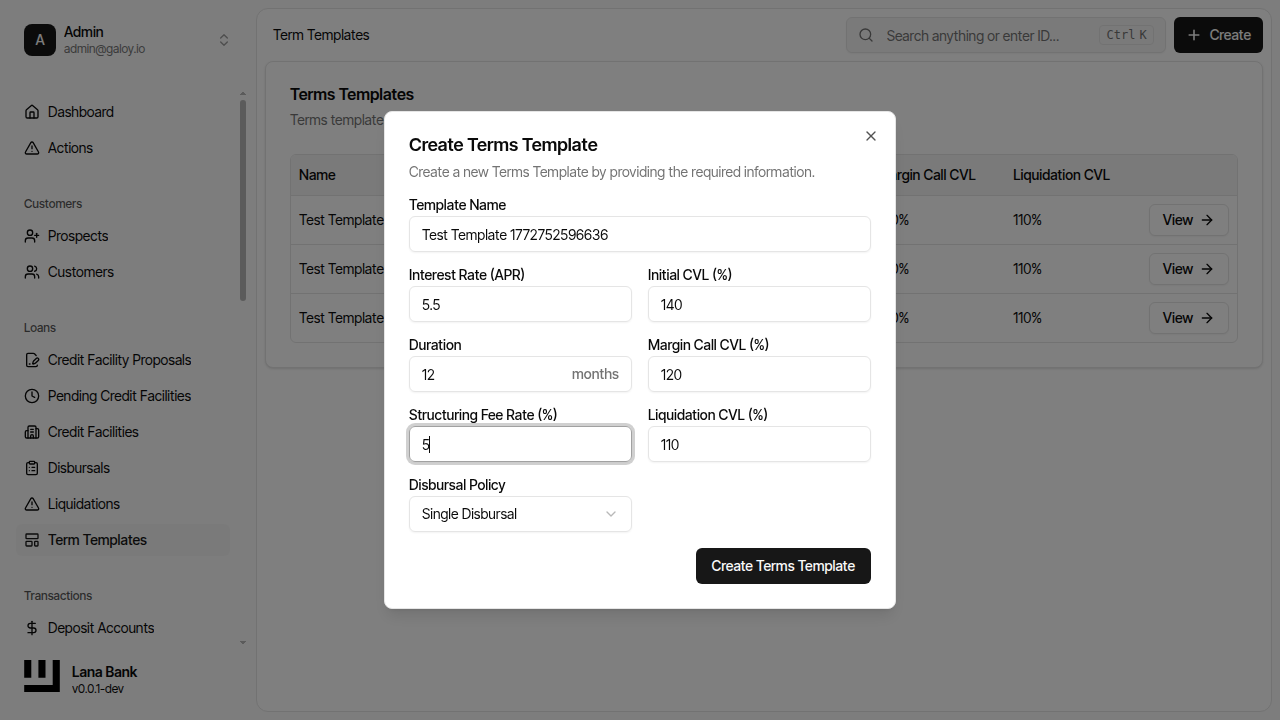
Step 10. Select disbursal policy.
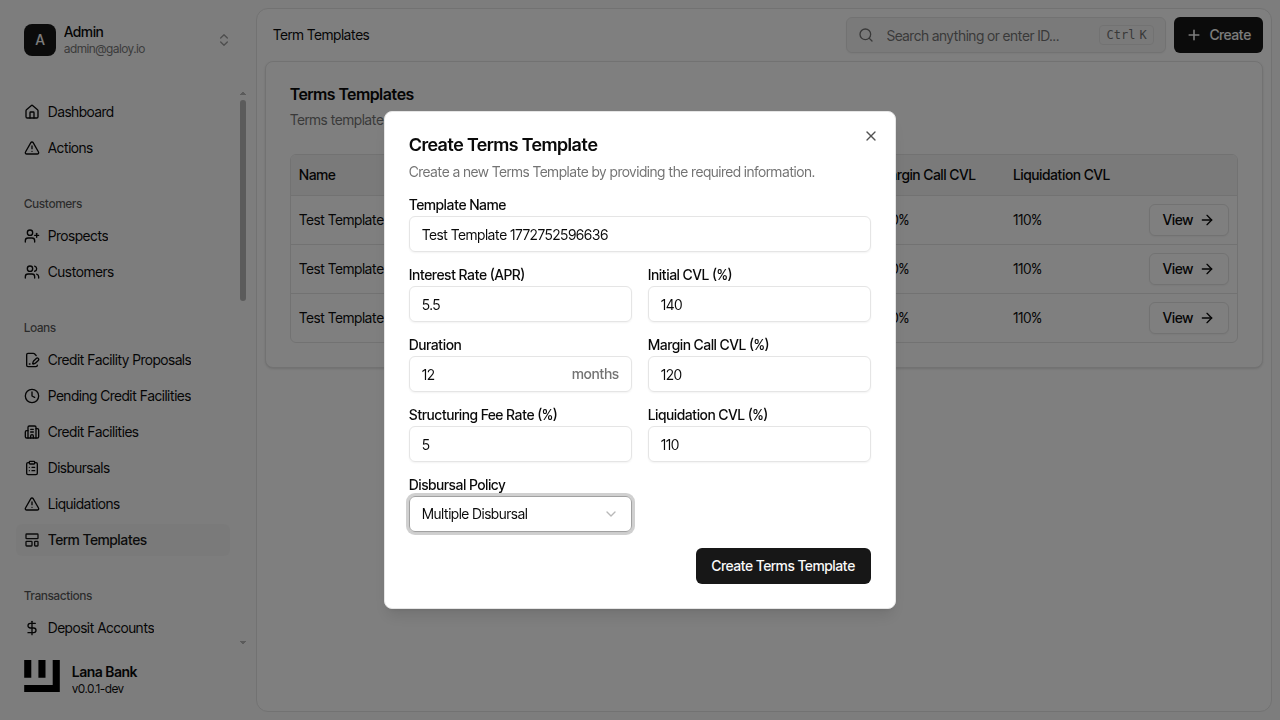
Step 11. Submit template.
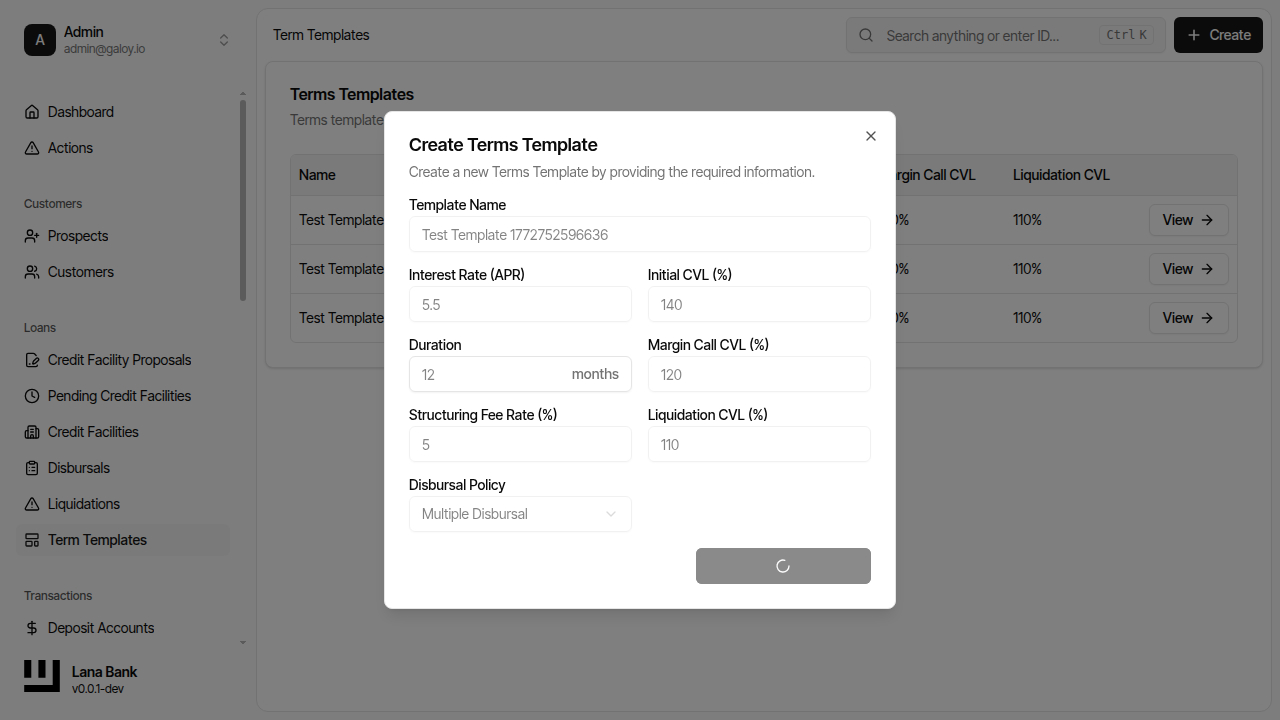
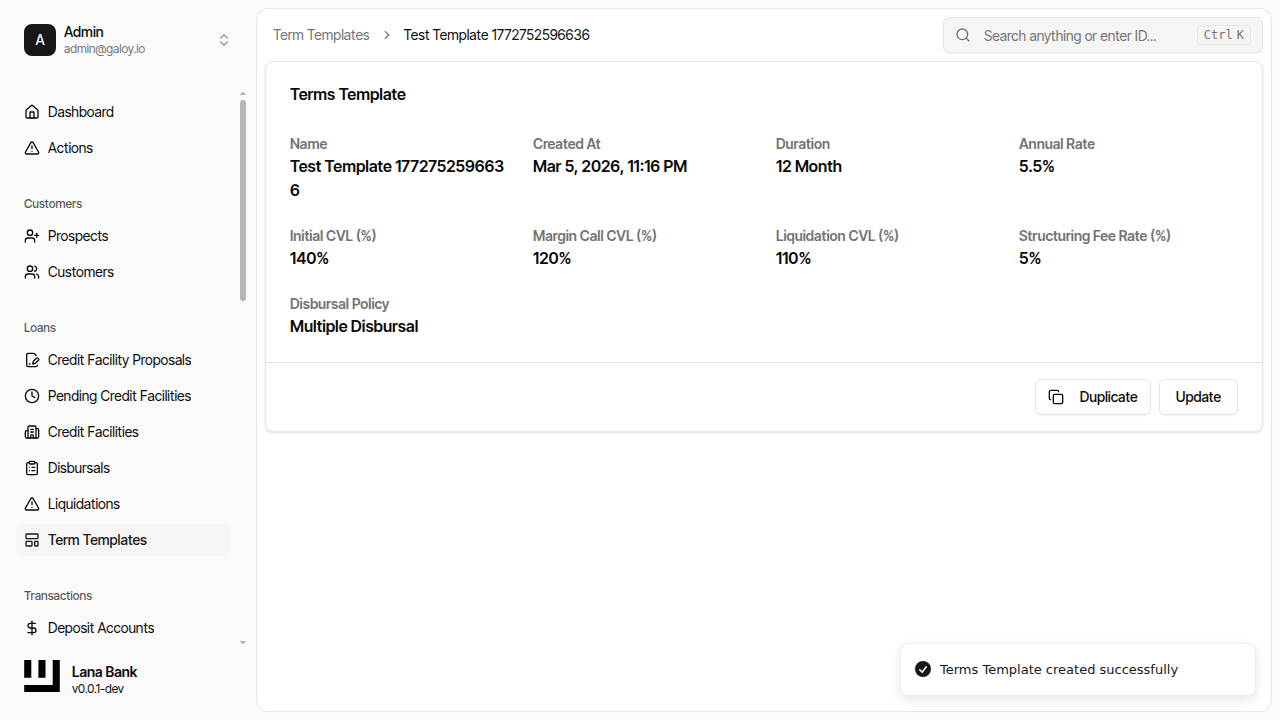
Step 12. Verify template detail and URL.
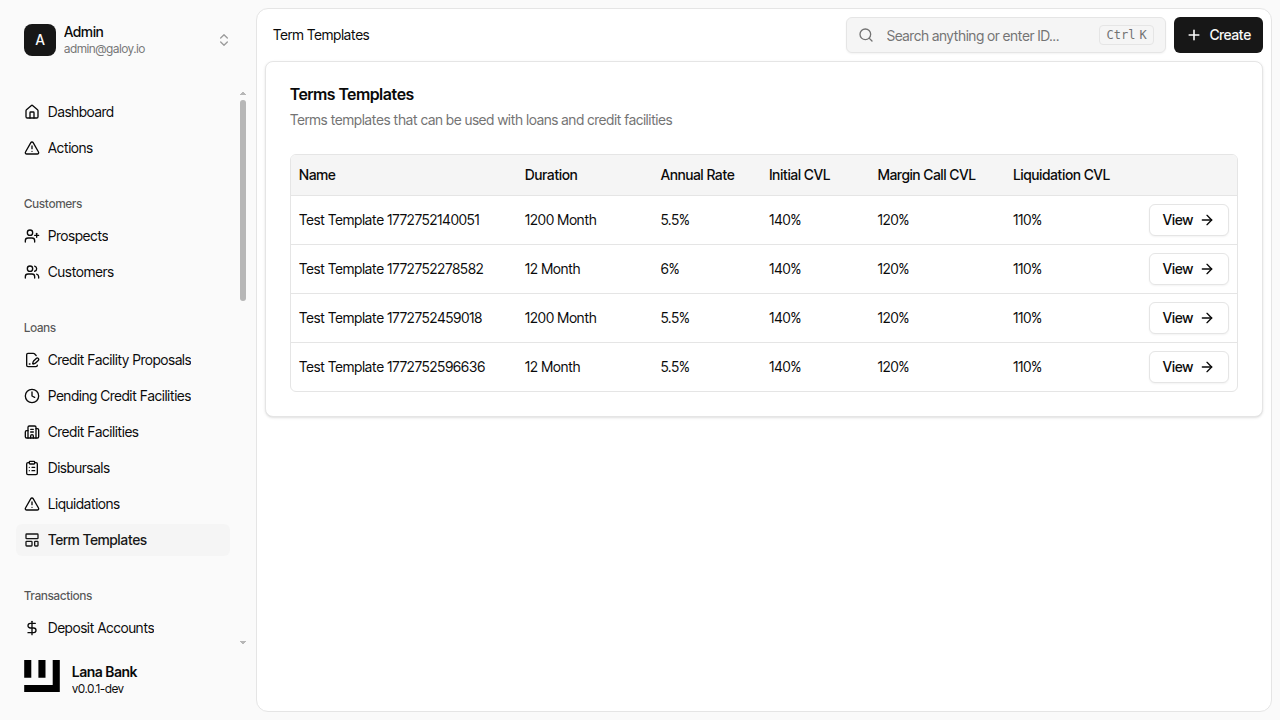
Step 13. Verify template is listed.
B) Update template
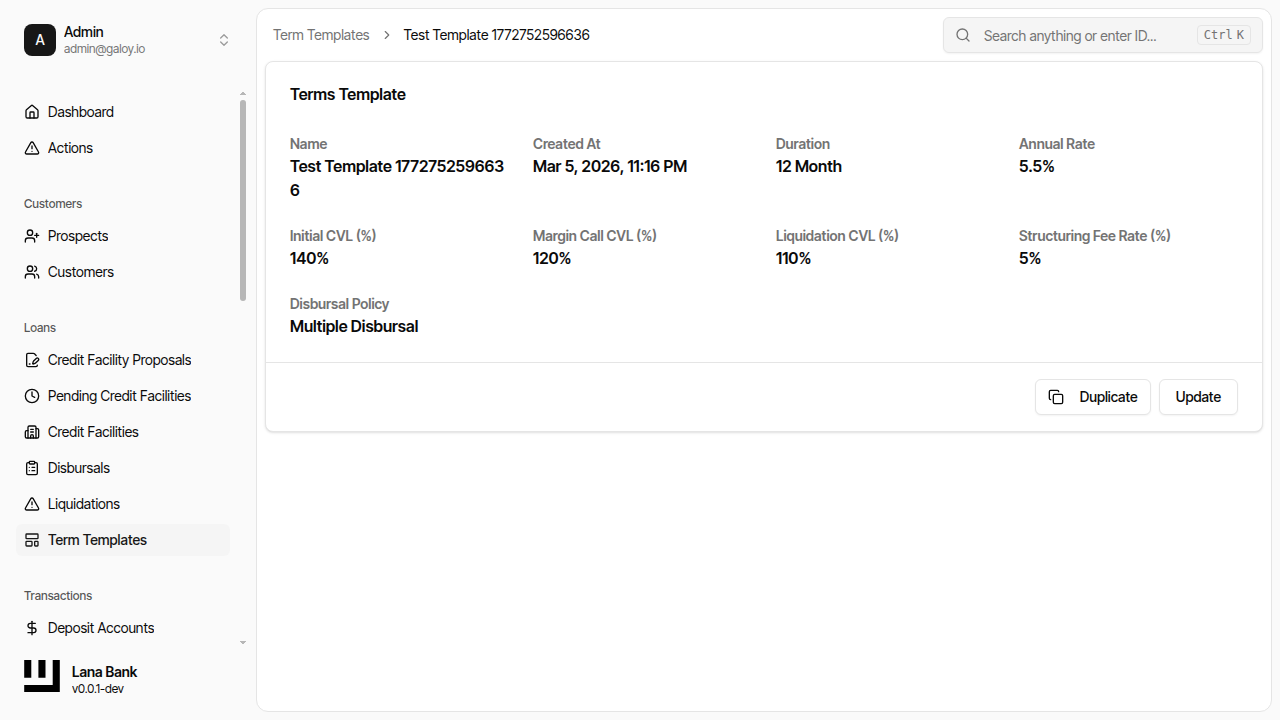
Step 14. Open template details.
Step 15. Click Update.
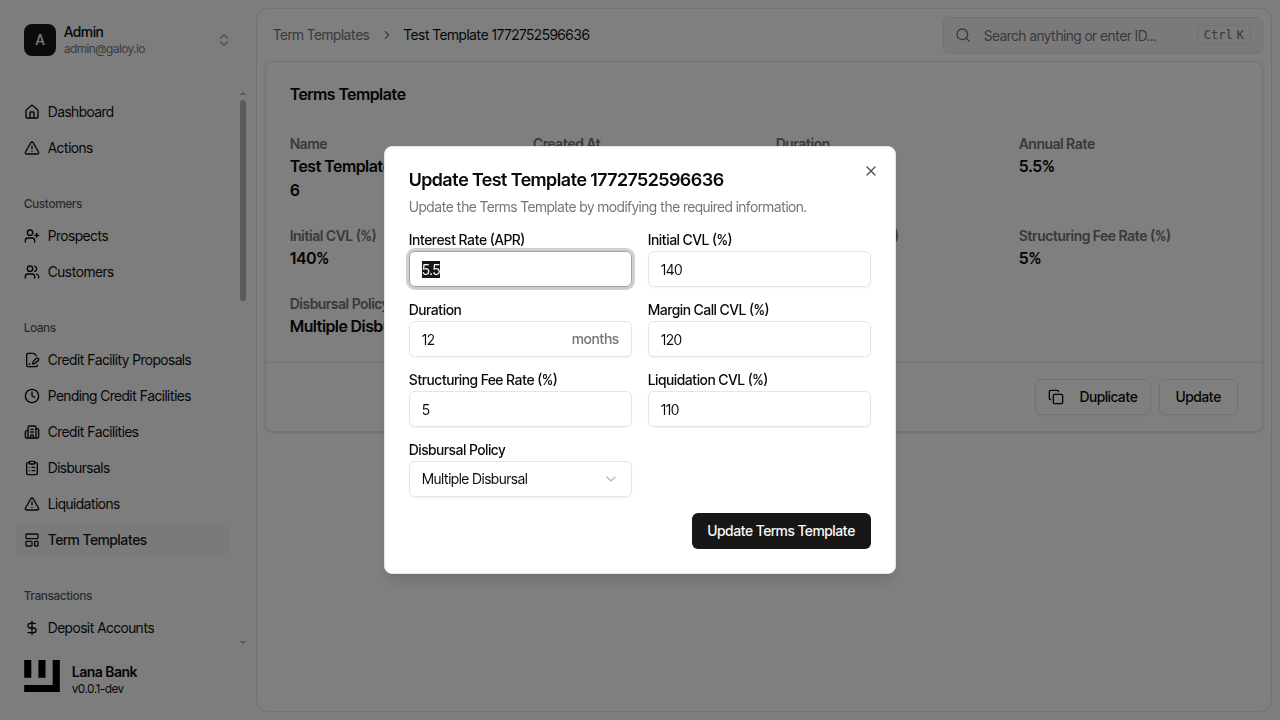
Step 16. Modify selected field(s) (example: annual rate).
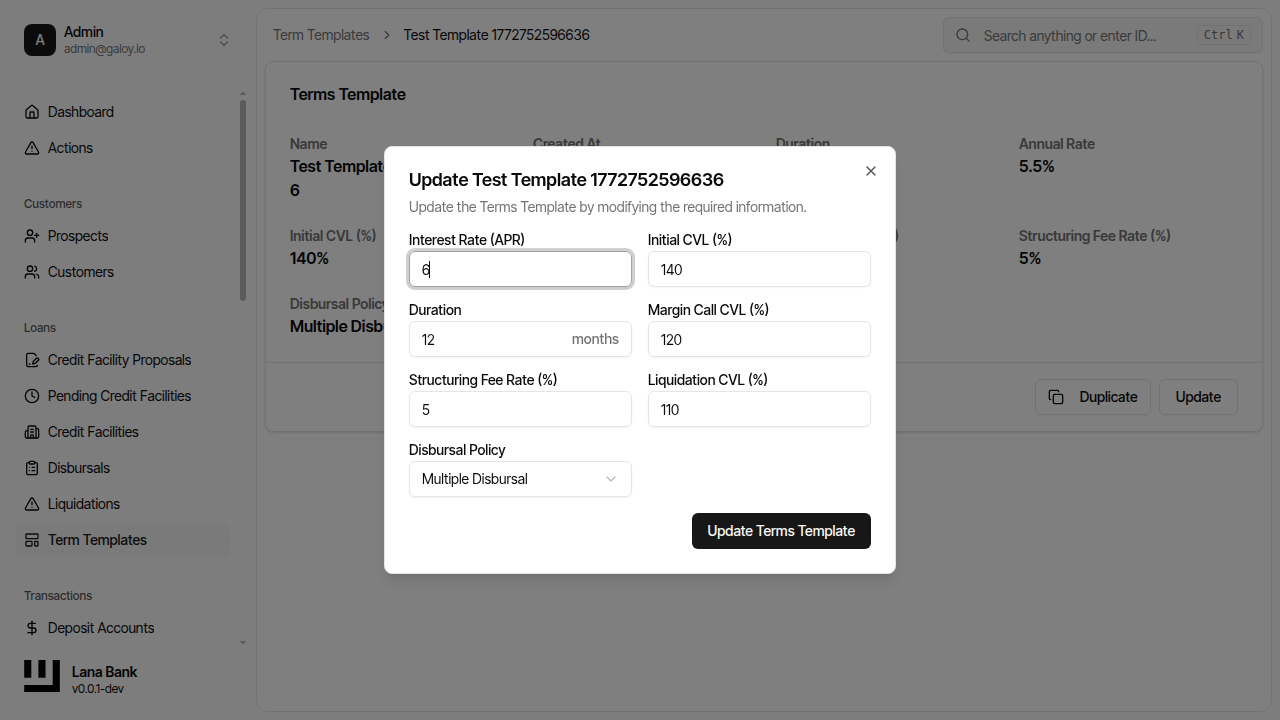
Step 17. Submit changes.
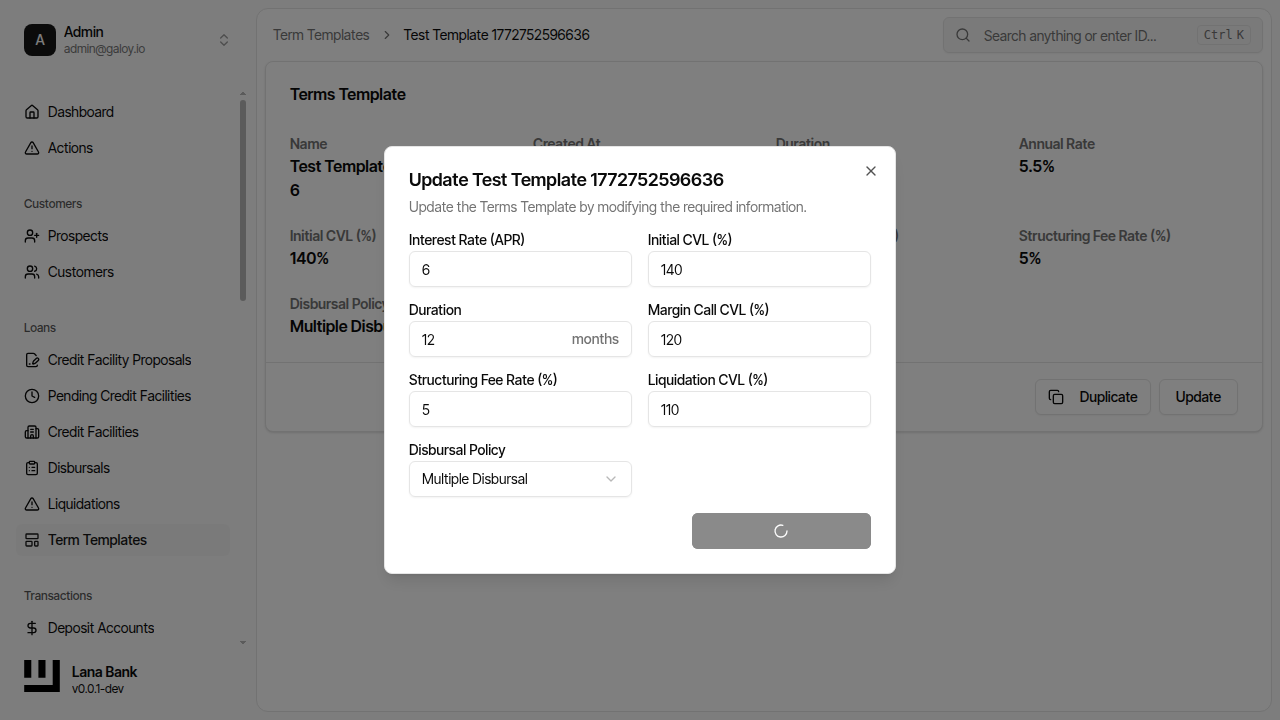
Step 18. Verify update success message.