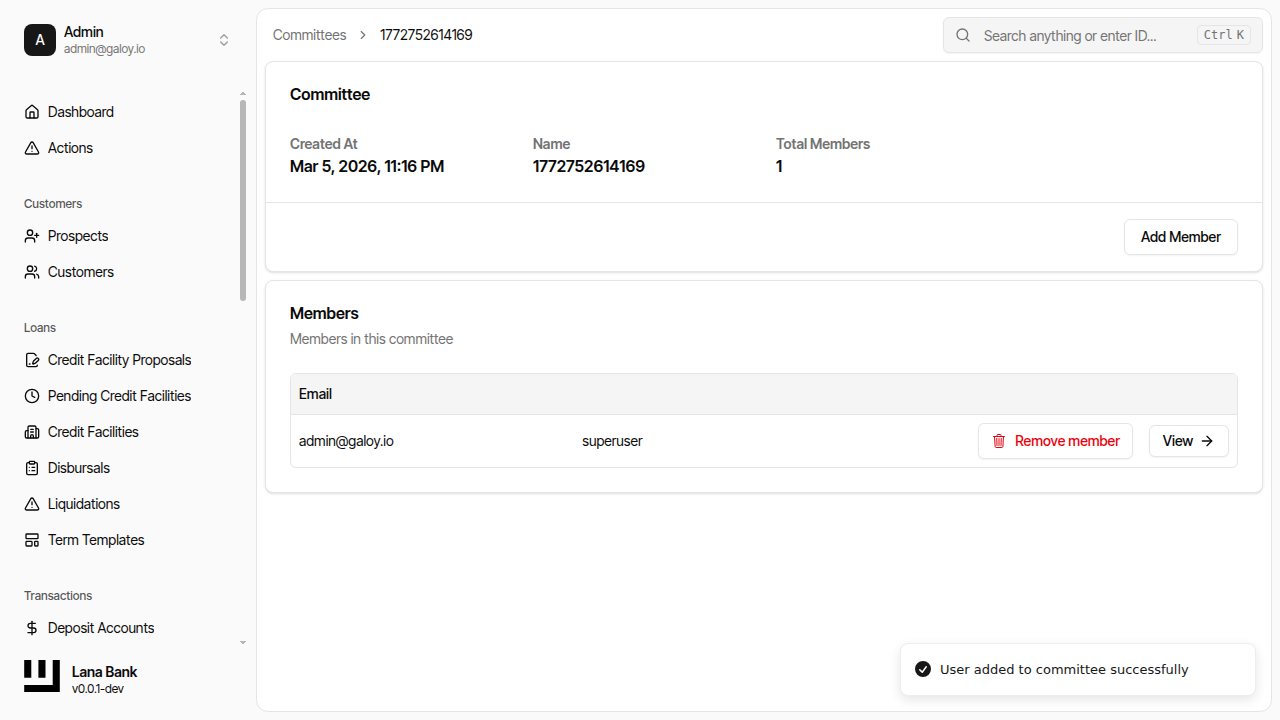
Approval Committees
A committee is a named group of authorized users who make decisions on approval processes. Committees provide the human element in the governance system: when a policy is configured with a committee threshold, the committee's members are the people who vote to approve or deny operations.
Committee Structure
Each committee has:
- Name: A human-readable identifier (e.g., "Credit Committee", "Operations Committee"). Must be unique.
- Members: A set of users who are eligible to vote on approval processes assigned to this committee.
Committees are not tied to specific operation types. A single committee can be assigned to multiple policies (e.g., the same credit committee could approve both facility proposals and disbursals). Conversely, each policy can only reference one committee at a time.
Membership Management
Adding Members
Committee members are identified by their user ID. When a user is added to a committee, they become eligible to vote on any active approval process that references that committee. Adding a member who is already in the committee has no effect (the operation is idempotent).
Removing Members
When a member is removed from a committee, they can no longer vote on new approval processes. However, any votes they have already cast on existing processes remain valid. Removing a non-member has no effect.
Impact on Active Processes
Membership changes can affect in-flight approval processes:
- Adding a member expands the eligible voter set. The new member can immediately vote on any active process using that committee.
- Removing a member shrinks the eligible voter set. If the remaining eligible members can no longer meet the threshold (e.g., threshold is 3 but only 2 eligible members remain, and fewer than 3 have already approved), the process is automatically denied.
This is because the approval logic checks whether it is still mathematically possible to reach the threshold with the current eligible set. If it is not, the process concludes as denied.
Voting Rules
When a committee member votes on an approval process:
- Each member votes once: A member cannot change their vote after casting it. Attempting to vote again (in either direction) is rejected.
- Approve accumulates: Approval votes are counted against the threshold. When the number of approvals from eligible members reaches or exceeds the threshold, the process is approved.
- Deny is immediate: A single deny vote from any eligible committee member immediately denies the entire process, regardless of how many approvals have already been cast. This gives every committee member effective veto power.
- Non-members cannot vote: Only users who are current members of the assigned committee and have not already voted are eligible to vote.
Threshold Calculation
The approval check works as follows:
- Get the set of current committee members (the eligible voters).
- Intersect the eligible voters with the set of members who have voted to approve.
- If the intersection count meets the threshold, the process is approved.
- If any eligible member has denied, the process is denied.
- If the number of eligible members is less than the threshold (impossible to ever approve), the process is denied.
- Otherwise, the process remains in progress, waiting for more votes.
Operational Considerations
- Create committees before assigning to policies: A committee must exist and have members before it can be meaningfully assigned to a policy. Assigning an empty committee to a policy would make every approval process instantly denied (threshold unreachable).
- Threshold must not exceed member count: When assigning a committee to a policy, the threshold is validated against the current member count. A threshold of 3 is rejected if the committee has only 2 members.
- Committee size and availability: In practice, committees should have more members than the required threshold to account for member unavailability. A threshold of 2 with exactly 2 members means both must approve; a threshold of 2 with 4 members provides redundancy.
Admin Panel Walkthrough: Create Committee and Add Members
1) Create committee
Step 1. Visit committees page.
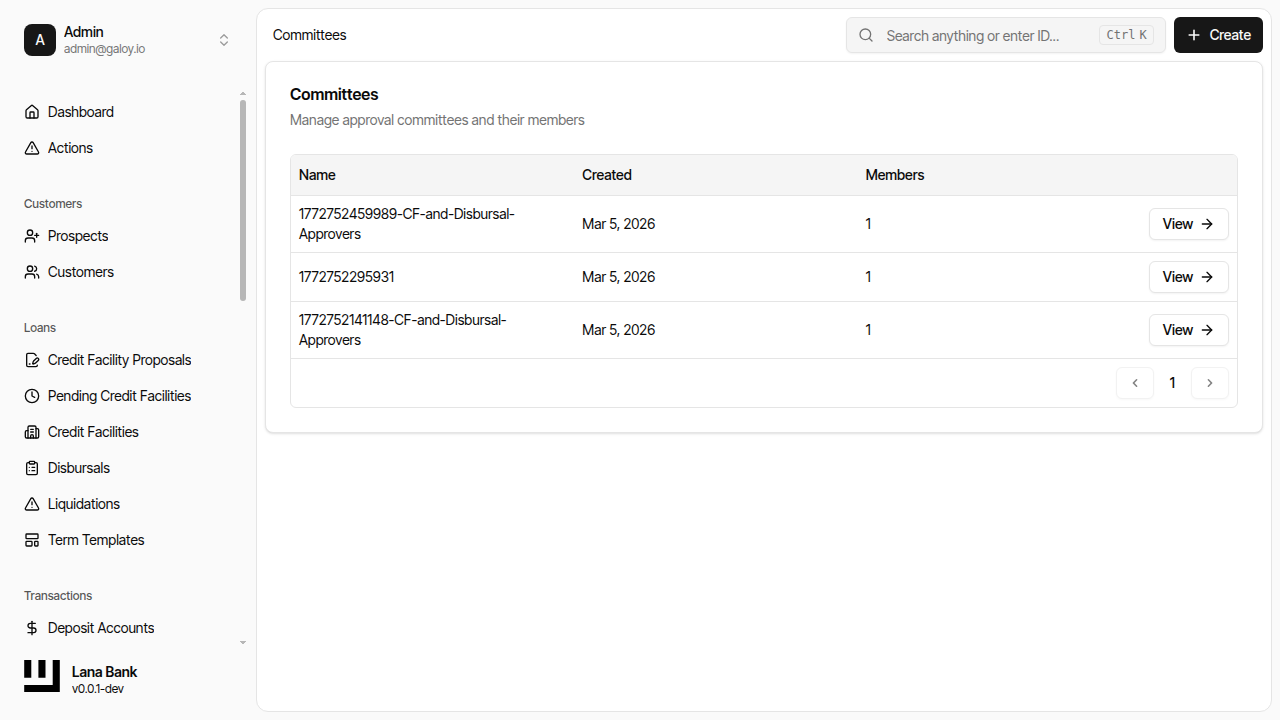
Step 2. Click Create Committee.
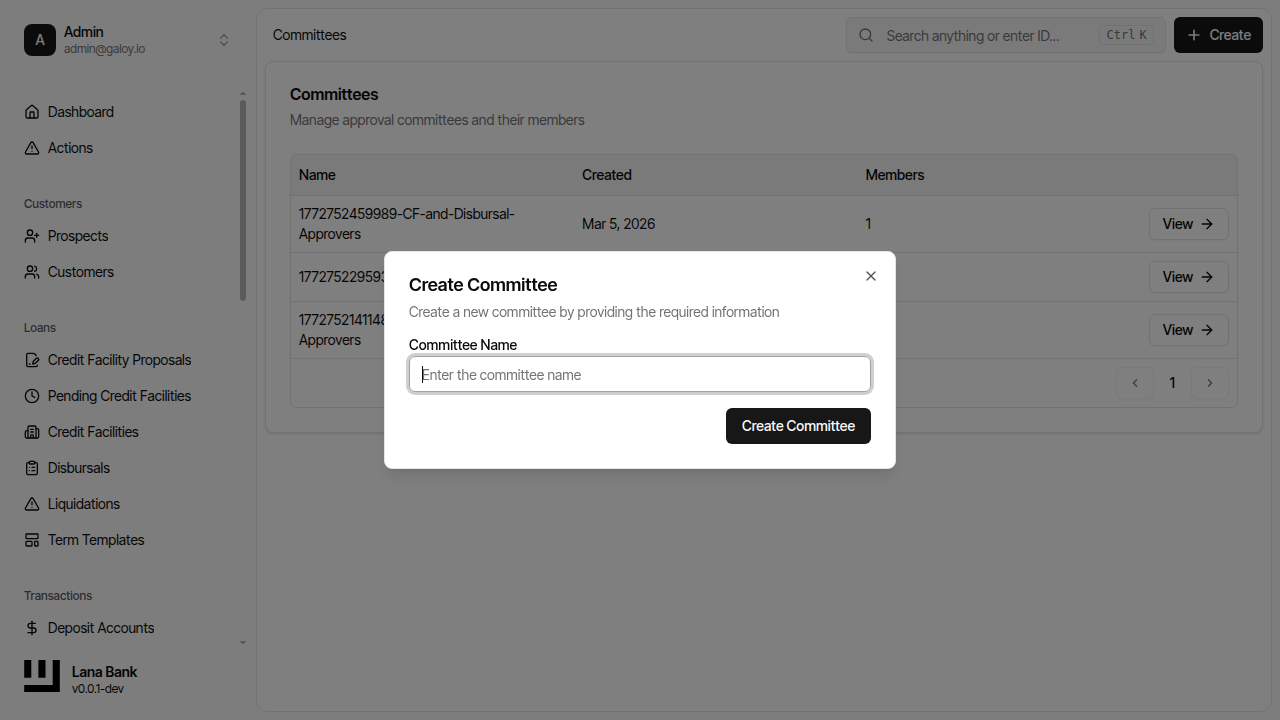
Step 3. Enter committee name.
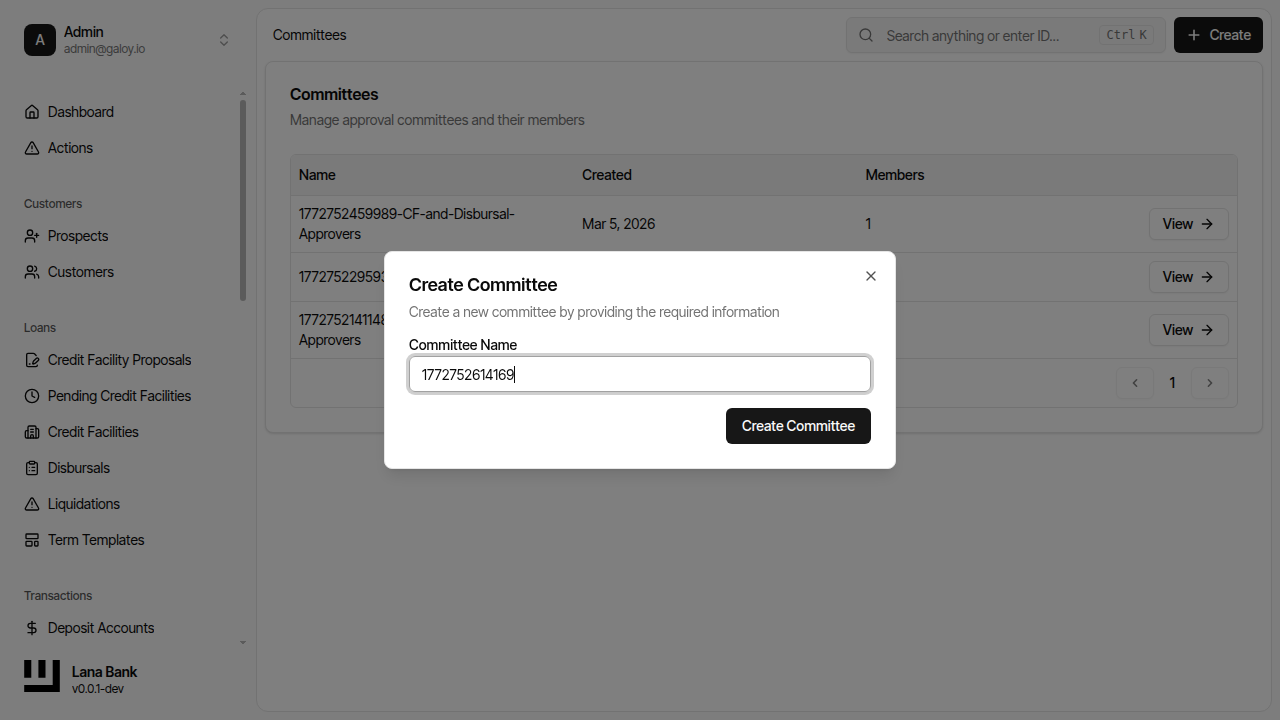
Step 4. Submit committee creation.
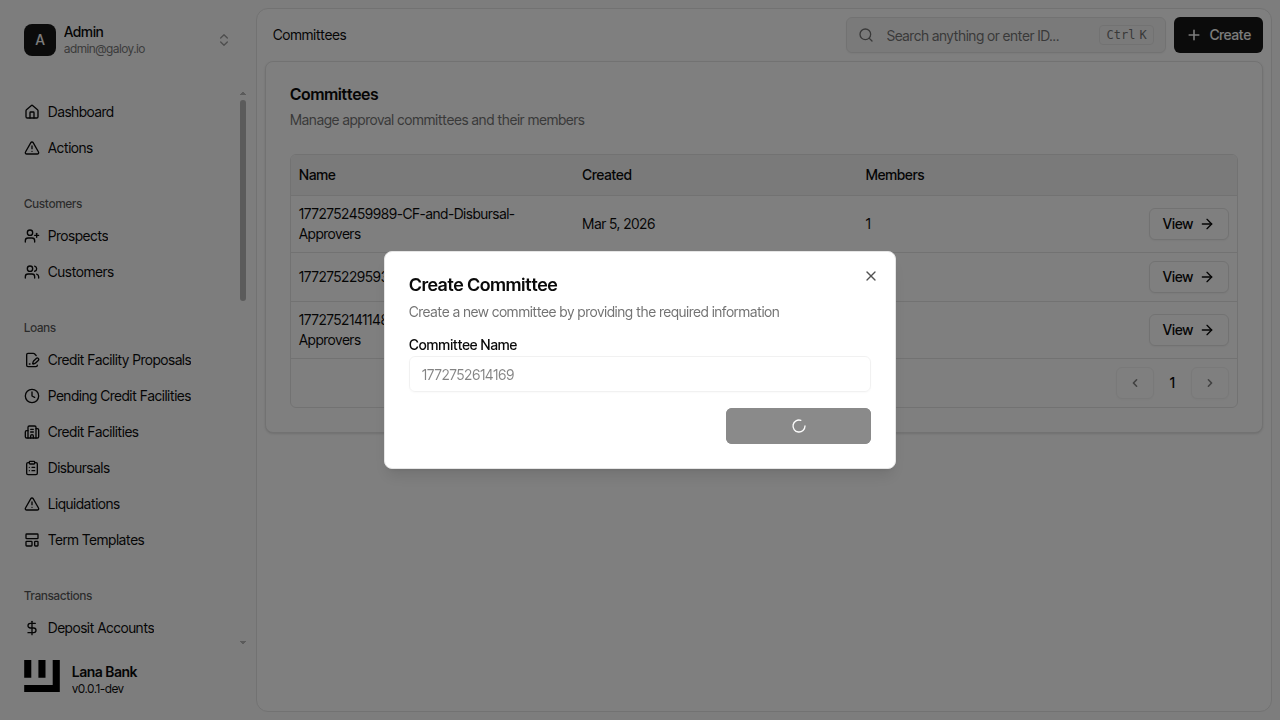
Step 5. Verify success.
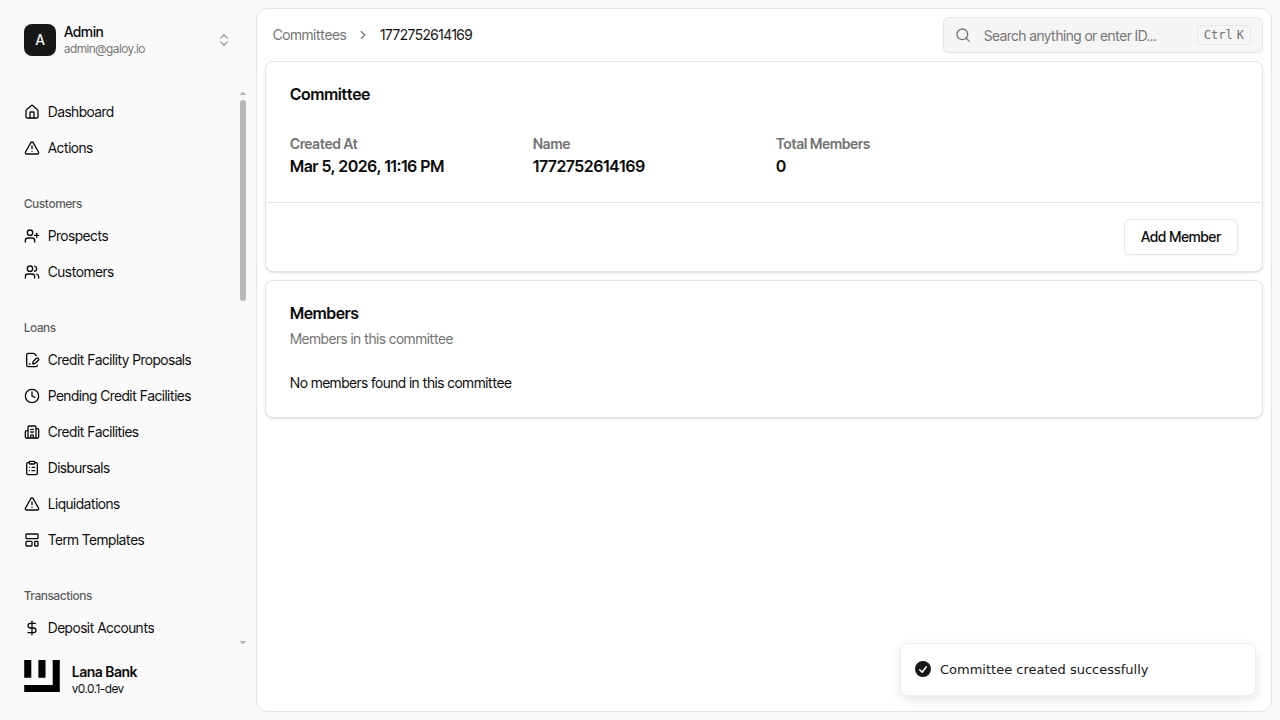
Step 6. Confirm committee appears in list.
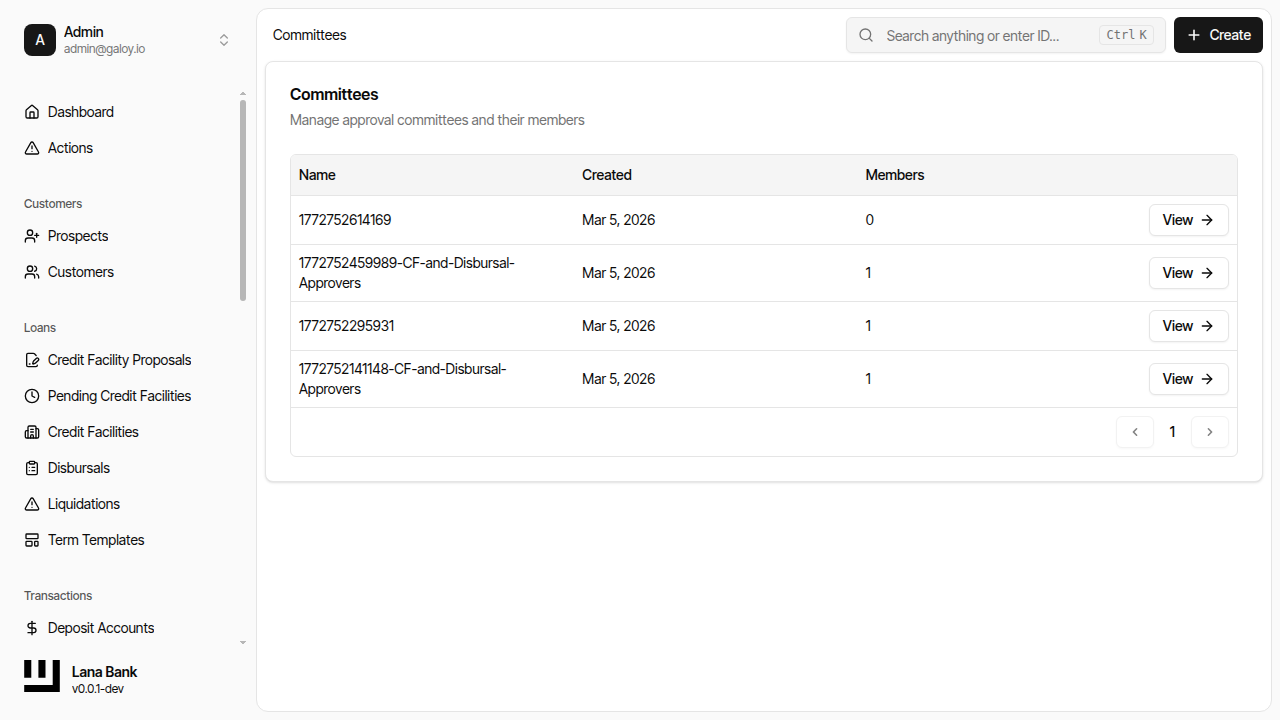
2) Add member
Step 7. Open committee details.
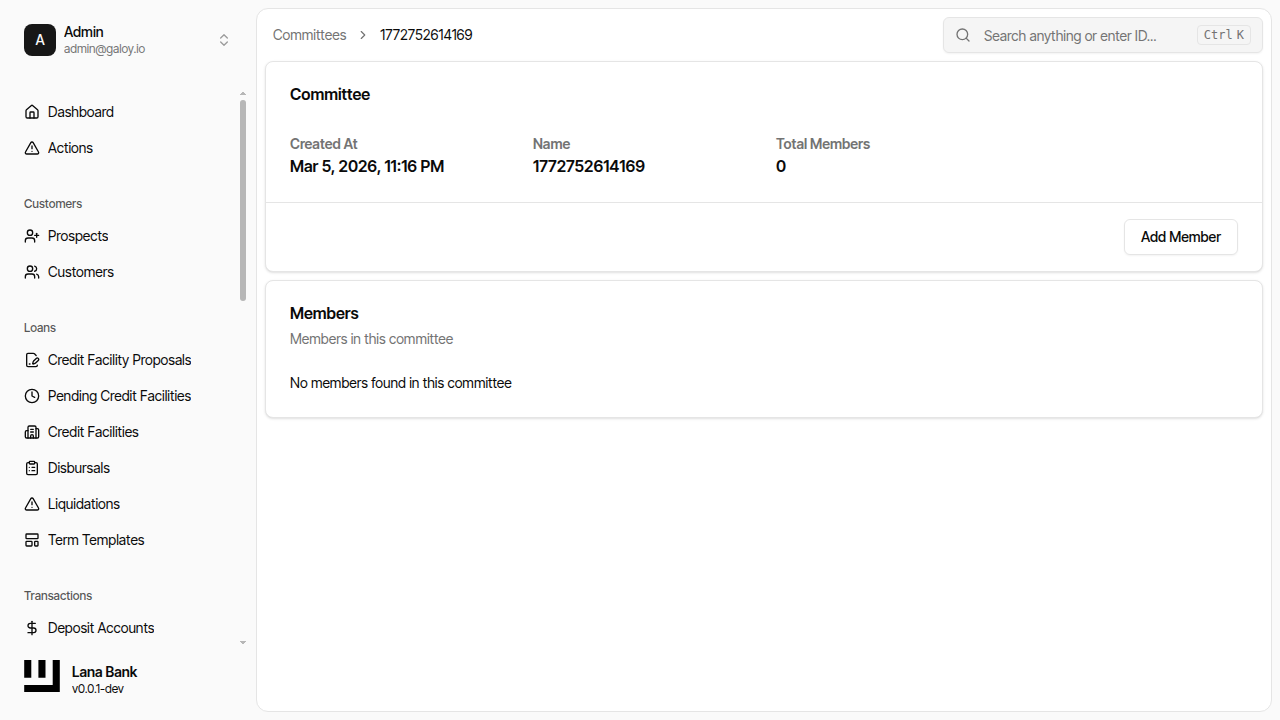
Step 8. Click Add Member.
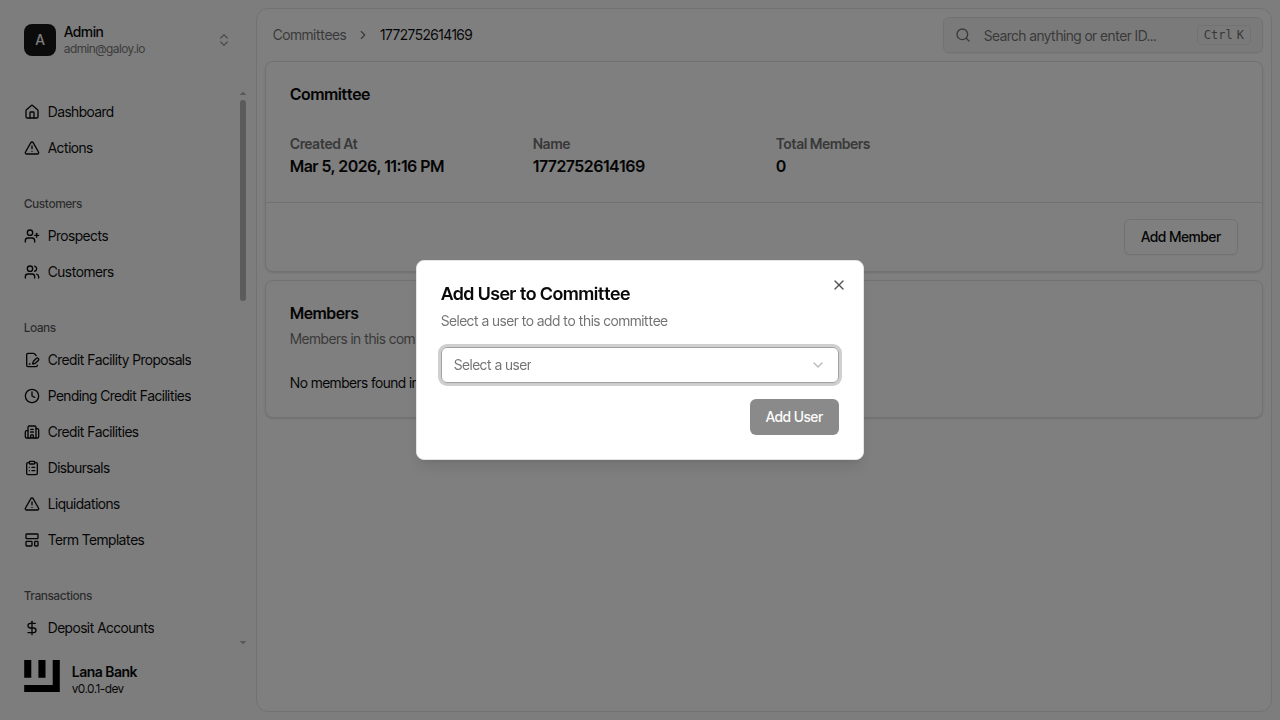
Step 9. Select role/member mapping.
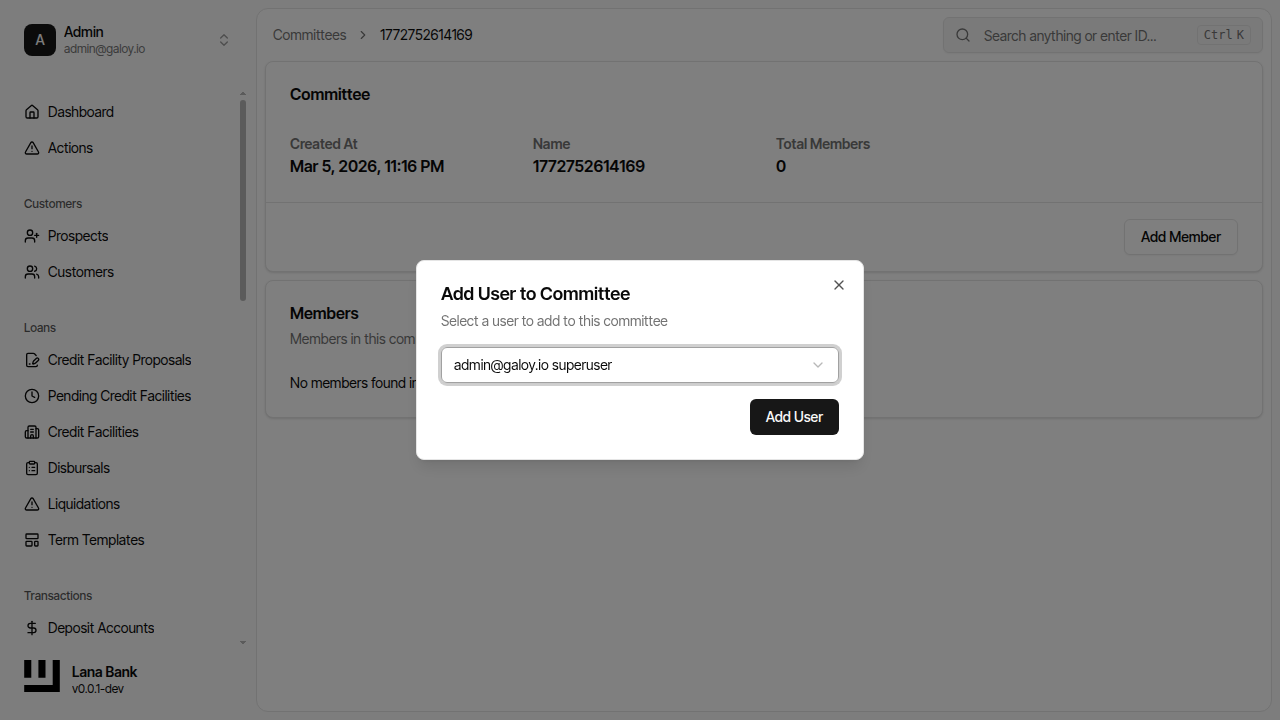
Step 10. Submit member addition.
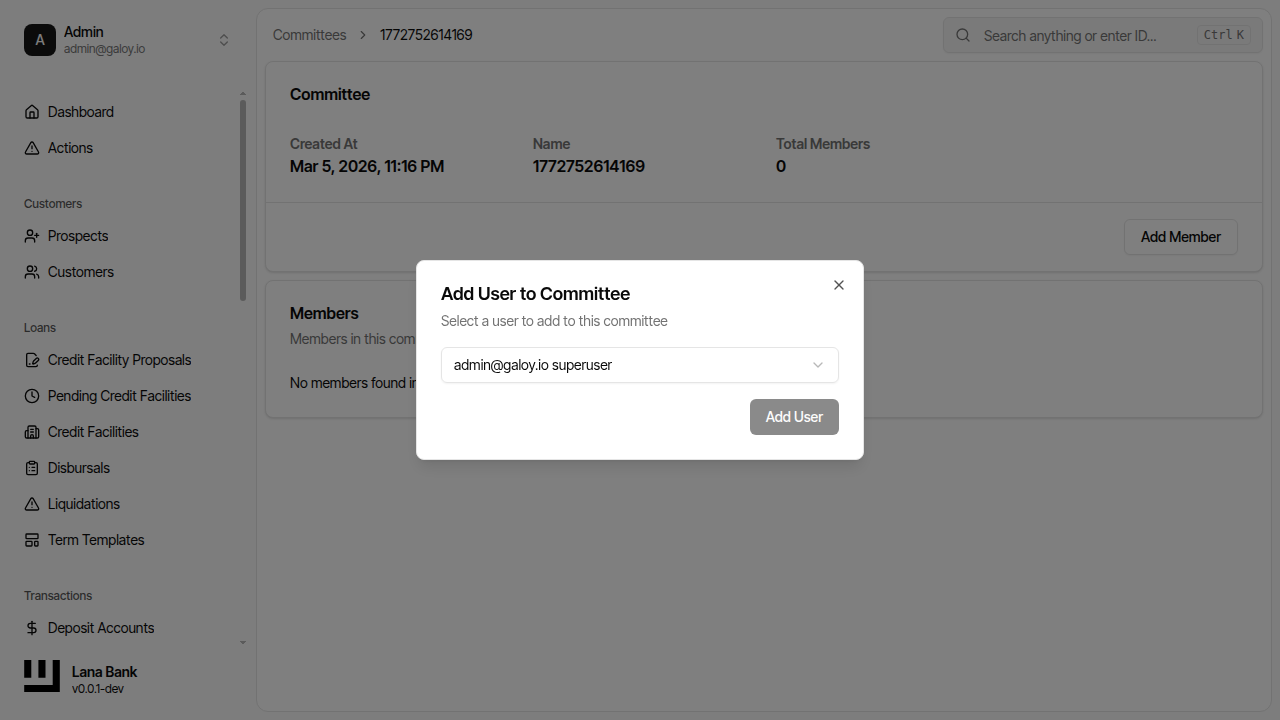
Step 11. Verify member is added successfully.